I’d like to request a supported way to keep Inkdrop running in the background on Windows (and other environments), mainly for Developer Mode and API usage.
My use case is not primarily startup performance. I want to use Inkdrop as a local API/service endpoint from external tools, so I need Inkdrop to stay alive even when I am not actively using the UI.
Currently, closing the window quits Inkdrop. That makes it easy to accidentally stop the API/server availability. I worked around this by launching Inkdrop at login and minimizing it automatically, but it is fragile and not obvious.
What I would like:
An option to keep Inkdrop running in the background when the main window is closed
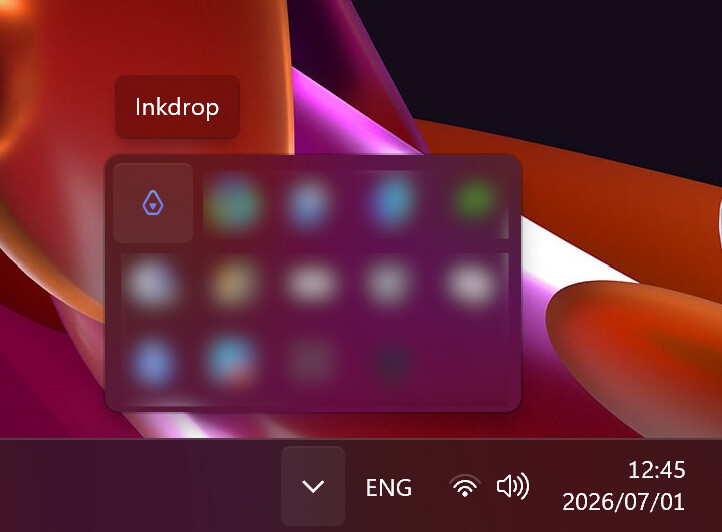
A tray icon or explicit command/menu item to quit Inkdrop intentionally
Launching Inkdrop again should restore the existing window/process
I understand that general close-to-tray behavior may be a product decision, but for Developer Mode/API use cases, having a supported background mode would make Inkdrop much easier to use as a local service.
Discord also has a tray icon, so the app opens almost instantly.
On my Windows 10 PC, Inkdrop opens in around 2 - 2.5 seconds which is fine. However, I don’t keep Inkdrop running (minimized) all the time, but I open it every time I need something from Inkdrop. That’s my personal workflow.
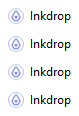
Another related issue: When I frequently open and close Inkdrop, there is a chance that the app suddenly won’t open anymore. I then have to manually quit all Inkdrop instances in the Windows Task Manager:
That might be a Windows quirk which might not be possible to fix, but a tray icon would probably fix this issue as well, because only one Inkdrop instance is active at once. It already works for Discord.
Some Desktop apps have the option to toggle between closing the app entirely or keeping the app running in the background with a tray icon.
If the implementation of a tray icon isn’t too hard, I would appreciate this feature.