Hey, what’s up? It’s Takuya here.
With the roadmap completed in the last release, I’ve been polishing things up for the official launch of v6.
Canary.21 brings a big simplification to the theming system, significantly improves the Mermaid UX and design, and lets Inkdrop keep running in the background on Windows and Linux.
One theme package instead of three 
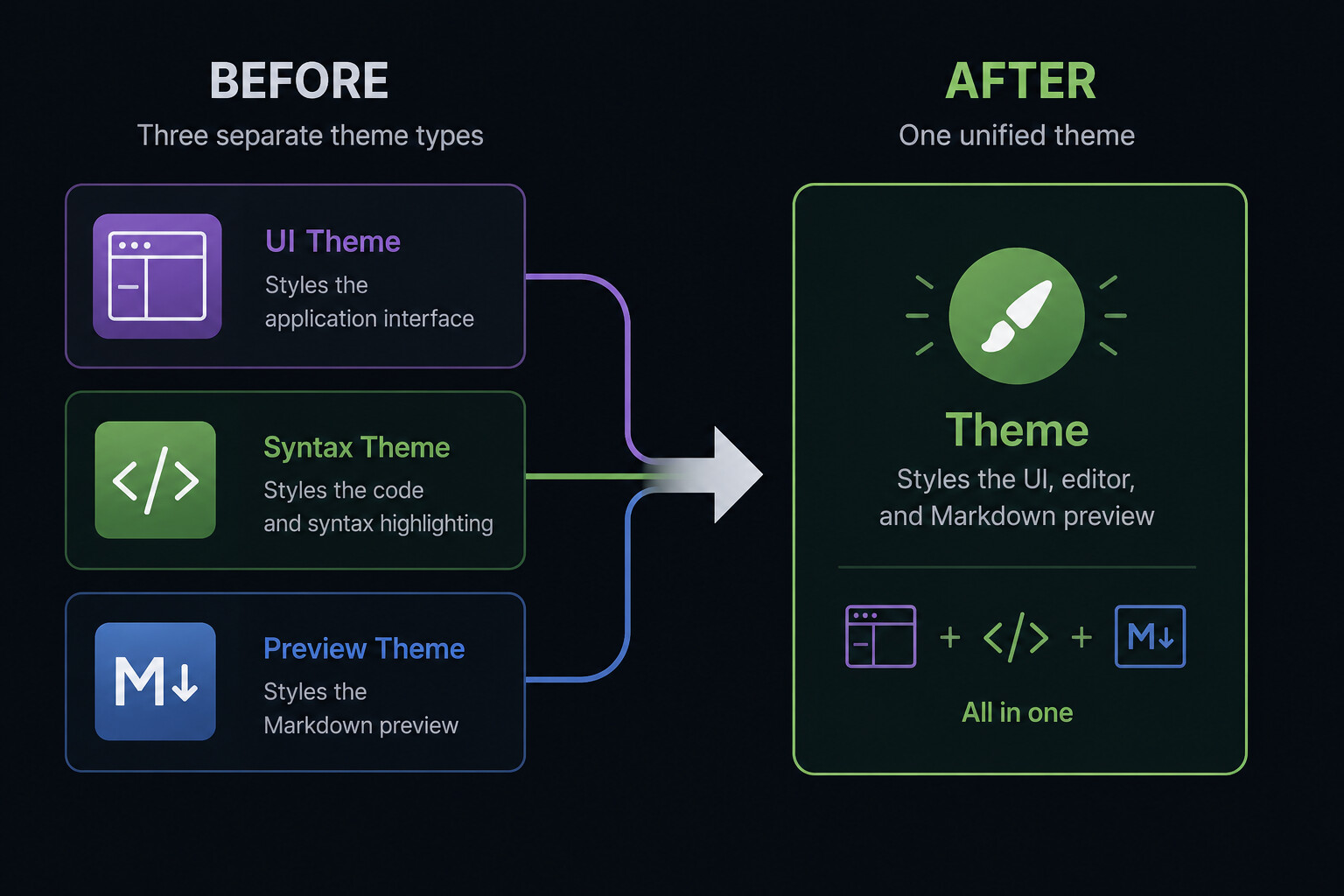
Until now, themes came in three separate types — UI, syntax, and preview — a design inherited from the Atom editor.
It was annoying for everyone: I had to publish nine plugins for the Kanagawa collection alone, and you had to install and switch three plugins to fully apply one theme, even though people rarely mix and match them separately.
So, the three theme types have been merged into one.
A single theme package now styles the whole app — the UI, the editor, and the Markdown preview — and the Themes preference pane shows one picker instead of three.
Your theme setting is migrated automatically, falling back to the matching default light/dark theme.
The existing theme collections have been republished as unified plugins:
 Heads-up for theme authors: Sorry for making a breaking change
 Old-style theme packages (with
 "theme": "ui" | "syntax" | "preview") are no longer recognized, and the app falls back to the default theme.
A unified theme declares "theme": true and ships ui.css / syntax.css / preview.css, each wrapped in its own @layer.
Please check out the theme development guide and update @inkdropapp/ipm-cli (v1.2.1) and @inkdropapp/theme-dev-helpers (v0.6.1) to the latest version.
Additionally, when you publish a theme, its palette.json is now uploaded to the plugin registry.
This will power the live theme preview cards on the website and in the app, so you can see what a theme looks like before installing it 
Keep Inkdrop running in the system tray (Windows & Linux)
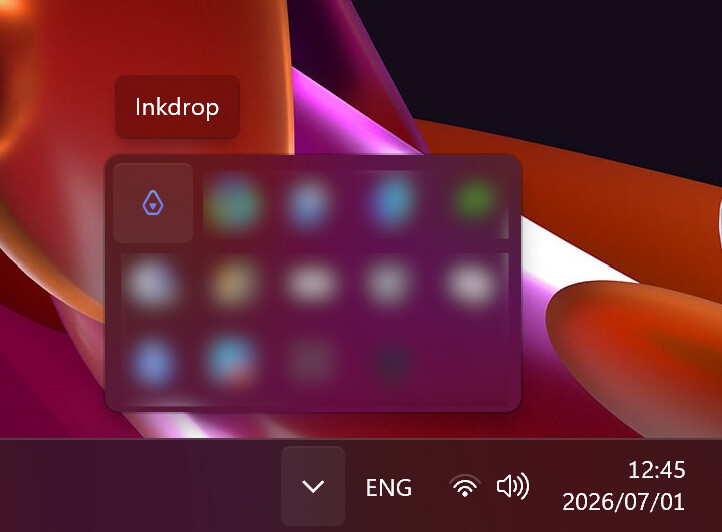
As requested by @Kyoichiro_Yamada and @Micha_Huhn, Inkdrop can now keep running in the background after you close the window — handy if you use the local HTTP API and want it to stay reachable, and it also makes reopening the app instant.
Turn it on via Preferences → General → App Behavior → “Keep running in the system tray”. It’s off by default.
On macOS, nothing changes — the app already stays alive in the Dock.
Mermaid pan & zoom support
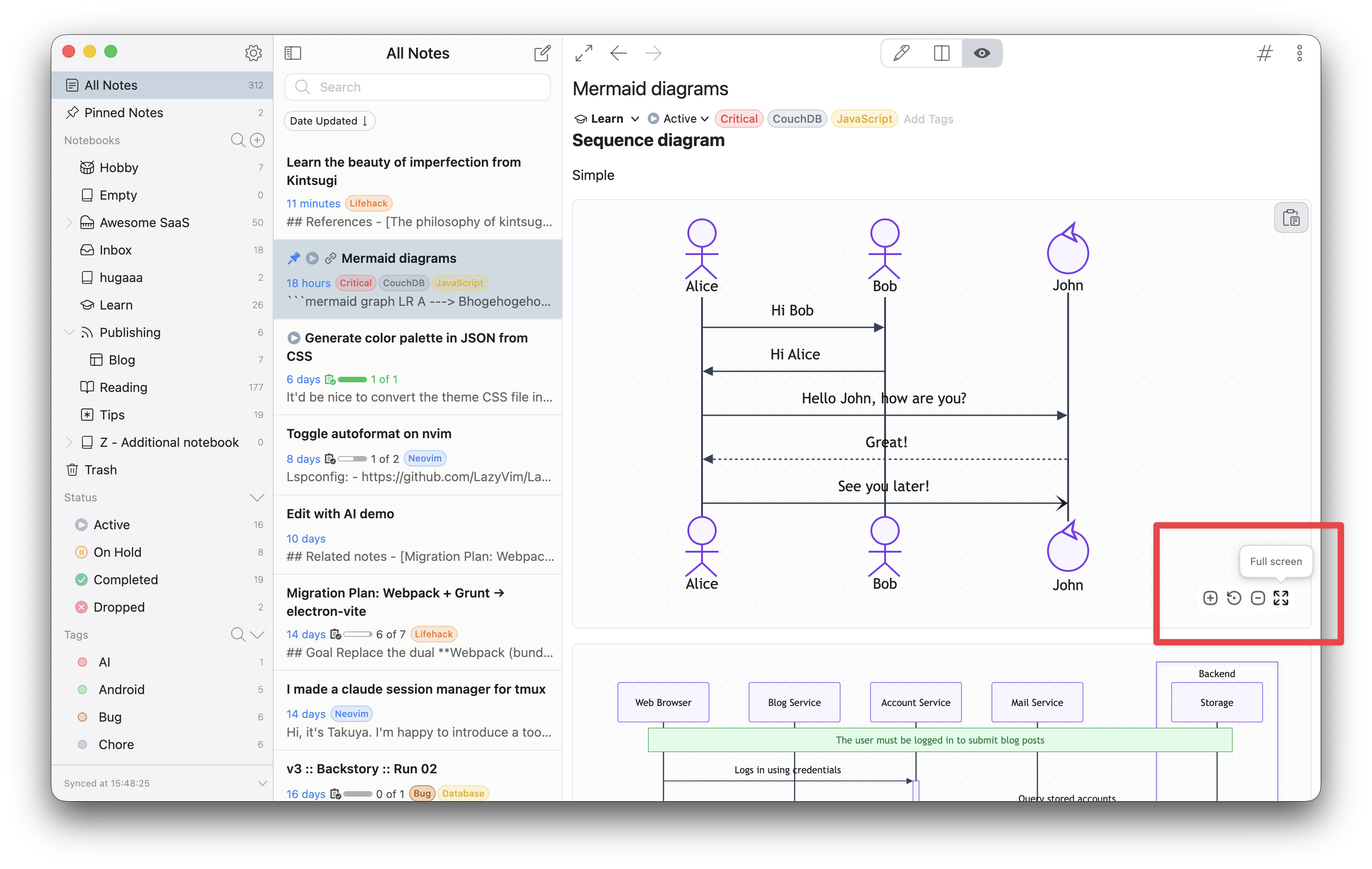
@inkwadra originally built a pan/zoom toolbar for the Mermaid plugin in PR #26, but it had to be reverted back then due to a crash. I finally revived it, rebuilt on a crash-free foundation. Thanks for the inspiration, @inkwadra
Now, when you hover over a rendered diagram, a toolbar appears with zoom in / reset / zoom out buttons. You can:
- Drag to pan around the diagram
- Ctrl/Cmd + wheel to zoom (plain scrolling still scrolls the note)
- Expand the diagram into a full-screen viewer (close with Esc)
There’s also a subtle dot-grid background behind diagrams so you can tell where the canvas is.
None of this appears in print or PDF exports, and you can turn off the toolbar and pan/zoom in the plugin settings if you prefer the plain rendering.
Mermaid diagrams now follow your theme
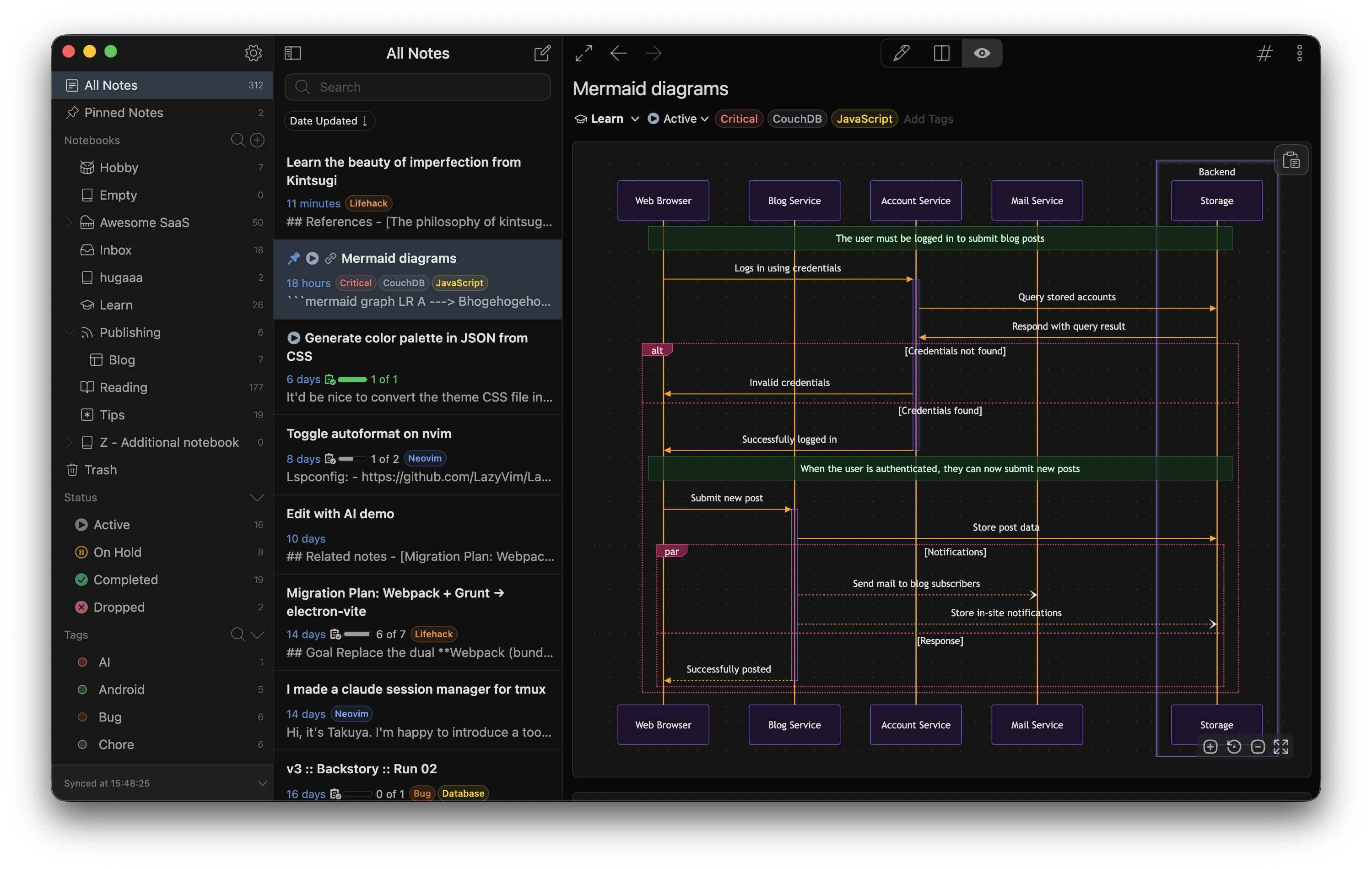
Diagrams are now themed entirely through CSS variables.
Every color Mermaid can draw — nodes, edges, labels, notes, and diagram-specific ones for sequence, state, Gantt, pie, and more — comes from a --mermaid-* variable, so diagrams automatically match the active theme in both light and dark mode.
The plugin’s old theme option is gone; if you’re a theme author, restyling diagrams is just overriding those variables in your preview.css.
Most of them cascade from a handful of base tokens, so overriding a few (like --mermaid-node-background-color and --mermaid-line-color) restyles most diagram types at once.
See the Diagram colors section of the theme development guide for details.
Bug fixes
- Crash when replacing a pasted link - Thanks @Lukas
- The font for Math was not loaded properly
That’s it for this release. Thank you always for your feedback — the official v6 release is getting close! 
 Join the Canary testing
You can download the binary here:
How to give feedback
Please create a topic on the “Issues > Canary” category.
This is the most preferred way for me because I can manage which issue has been resolved or not.
We have our Discord server, where you can casually discuss and talk with other users.