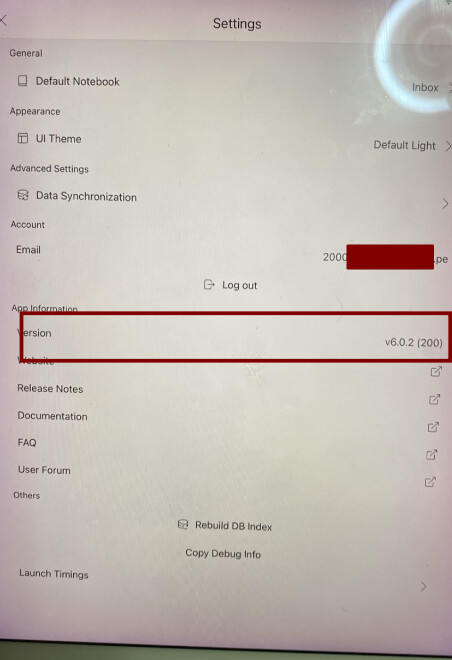
I’m having trouble opening Inkdrop on my iPad Pro (9.7-inch), which is running iPadOS 16.7.16.
When I try to launch the application, it does not open successfully, and I’m unable to access the app or my notes on this device. I have attached a video showing the behavior, along with a screenshot of the Inkdrop App Store page.
The App Store displays an “Open” button, indicating that the application is installed on the iPad. However, I’m still unable to open and use it normally.
I’m reporting this issue in connection with Inkdrop 6.2. However, the attached App Store screenshot shows version 6.0.1 under “What’s New.” Since I cannot access the application to check its version internally, I would appreciate guidance on confirming the exact installed version.
Expected behavior
When I launch Inkdrop, I expect the application to open normally and allow me to access the sign-in screen or my notes, depending on my current session.
Actual behavior
The application does not open successfully when I try to launch it. This prevents me from accessing Inkdrop on this iPad.
The attached video shows the behavior I’m experiencing. I have not collected diagnostic logs, so I cannot confirm whether this is a startup crash or another launch-related problem.
Environment
Device: iPad Pro (9.7-inch)
Platform: iPadOS
Platform version: 16.7.16
Application: Inkdrop – Markdown Notes
App version: Reported as 6.2; exact installed version still needs confirmation
Version shown in the attached App Store screenshot: 6.0.1
How to reproduce
On my affected device:
Unlock the iPad and go to the Home Screen.
Locate the Inkdrop application.
Tap the Inkdrop icon to launch it.
Observe that the application does not open successfully and cannot be used.
Please refer to the attached video for the launch behavior and the device information shown in Settings.
Attachments
Video demonstrating the issue and showing the iPad model and iPadOS version. Sensitive device identifiers have been covered for privacy.
Screenshot of the Inkdrop App Store page showing the “Open” button and version 6.0.1 in the “What’s New” section.
Assistance requested
Could you please help me investigate why Inkdrop is failing to open on this device?
In particular, I would appreciate guidance on:
Confirming the installed Inkdrop version without opening the application.
Checking whether this issue could be related to compatibility with my iPad model or iPadOS version.
Collecting any diagnostic or crash logs that would help identify the cause.
Troubleshooting the problem while preserving any locally stored notes or unsynced changes.
Thank you for your help. I can provide additional information if needed.
Thanks for reporting.
That’s strange. Does it happen right after installing the app? Or, does it happen after logging in and syncing data?
For getting a crash report, please follow:
Open the app once more so it crashes.
Then go to Settings → Privacy & Security → Analytics & Improvements → View Analytics Logs
Find the newest entry starting with Inkdrop-2026-10-…, tap it
Use the Share button, and send it to contact@inkdrop.app (or attach it here).
Would you mind joining TestFlight? It makes you much easier to report crash bugs:
Since the app has been working fine on your iPhone, my gut feeling is that this is due to iPadOS 16, which is quite old and I can no longer test it on mac with the latest Xcode.
It turns out that Nitro (one of the core modules for React Native) uses symbols that only exist iOS >= 18.
I sent a PR to the repository:
Hopefully, they will merge it and it will be able to run on your iPad again soon.
However, I’m not sure if I can keep supporting iPadOS16 in the future. For example, I’m planning to add more modern features like liquid glass support.
Meanwhile, I have to raise the minimum iOS version to 18.
Thanks again for your patience and understanding!
I can confirm that the app is now working properly and I can use it without any issues.
I’m already considering upgrading to a newer device or checking whether I can install a newer version of iPadOS on my current hardware. I’m quite attached to this device, so I’d love to keep using it if possible.
Thanks for checking. Cool! I’ll release it officially. At least, you can install the fixed version on your current device once released even if later versions drop the older ios support.
Cheers