Hi! It’s Takuya here.
This update improves your agentic coding workflow and table editing experience 
Drag notes out of the app
Working with agents is becoming more important, and you may want to quickly tell your agent which note and notebook to read/edit.
You can now drag notes from the note list into other apps, such as a terminal or a text editor.
They are pasted as Markdown links like [title](inkdrop://note/…), and it works with multiple selected notes, too.
- Drop a note onto the editor to insert a link to it
- Drag a notebook out of the sidebar to paste its name and ID (e.g.,
Accounting book:xxxx)
Here, I’m dragging a note and a notebook into Claude Code on the terminal:
Unwrap the code block or table at the cursor
With line wrapping and “Readable line length” enabled, table rows can wrap across multiple editor lines, which makes tables hard to read and edit.
Since Inkdrop is a plain-text editor that applies styles line by line, it can’t give each block its own horizontal scrollbar.
So, I made it possible to keep tables and code blocks unwrapped while preserving the editor’s content width. You can still scroll horizontally when they don’t fit.
The line wrapping setting now has four modes: Off, All Lines, Prose Only and Unwrap at Cursor.
- Prose Only keeps code blocks and tables on one line each, so long table rows don’t wrap across multiple lines. It replaces the experimental
unwrapBlocksoption from v6.1.5, which no longer works. - Unwrap at Cursor wraps everything except the code block or table under the cursor. The block un-wraps when the cursor enters it and wraps again when the cursor leaves, and the cursor’s line stays in place on screen.
Unwrap at Cursor is now the default. You can change it in Preferences → Editing:
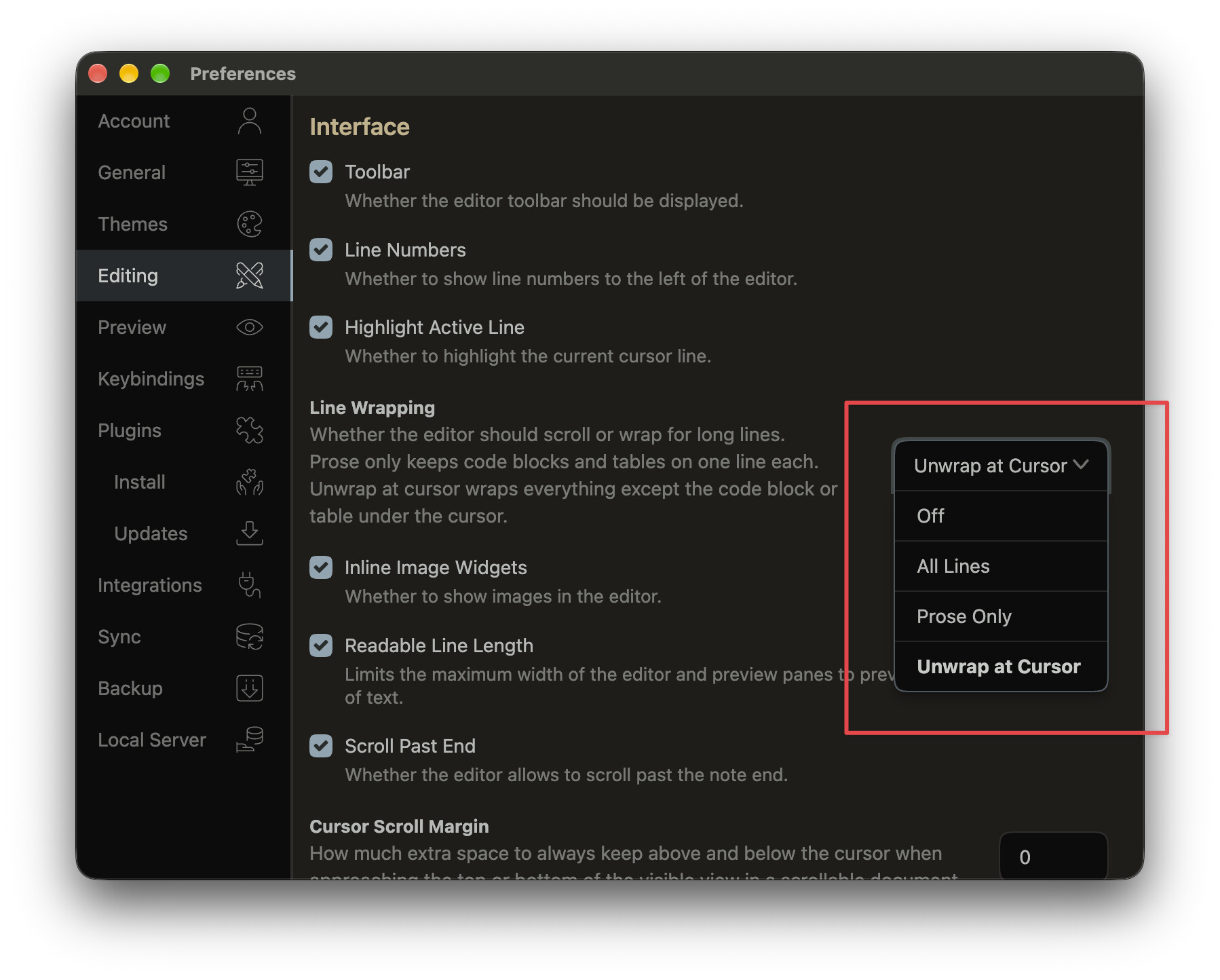
Here is a demo:
Table editing toolbar
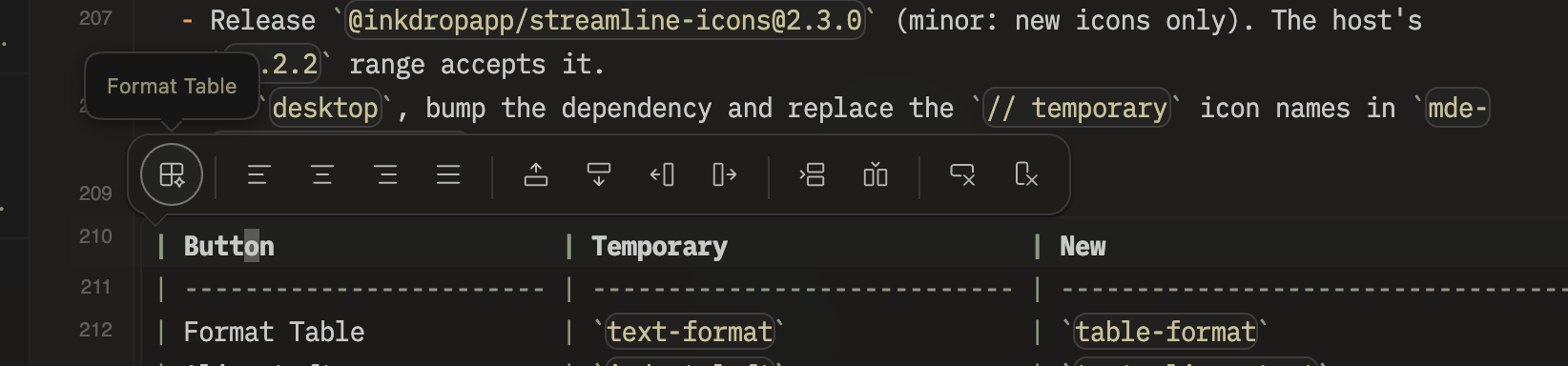
When the cursor is in a Markdown table, a toolbar appears above the current row:
- Format the table
- Align the column (left, center, right, or clear the alignment)
- Move the row up/down and the column left/right
- Add a row or a column
- Delete the row or the column
It hides while text is selected, so it doesn’t get in the way of the regular floating toolbar.
It follows the same setting that hides the editor toolbar.
Significant performance improvement
Your notes are now indexed with a new SQLite-based database engine, the same one as in mobile v6.0.0.
It replaces the old indexes for the note list, notebook counts and full-text search, and the note list now loads notes as you scroll.
Here is how it compares with the previous version, with 50,000 notes:
| What | Before | Now | Faster by |
|---|---|---|---|
| Updating the search index after syncing 200 notes | 13.5 s | 0.11 s | 122× |
| Updating the note list index after syncing 200 notes | 1.5 s | 0.06 s | 25× |
| Updating the search index after saving a note | 67 ms | 1.6 ms | 41× |
| Building the search index from scratch | 16 min | 21 s | 45× |
| Building the note list index from scratch | 2 min | 5.6 s | 22× |
| Loading a page of the note list | 0.3 ms | 0.04 ms | 8–12× |
| Counting notes in a notebook | 214 ms | 4 ms | 51× |
| Searching with a short keyword (2 characters) | 421 ms | 19 ms | 22× |
| Searching for a word, newest first | 47 ms | 12 ms | 3.9× |
The note list index also takes 16× less storage (from 527 MB to 33 MB with 50,000 notes).
- On the first launch after updating, you’ll see “Updating the database indices..” once while the new index is built. The old index files are removed afterwards.
- The Help menu item for rebuilding the index is now called Rebuild Search Index.
- Notes in the templates notebook are no longer included in the note counts.
Other improvements
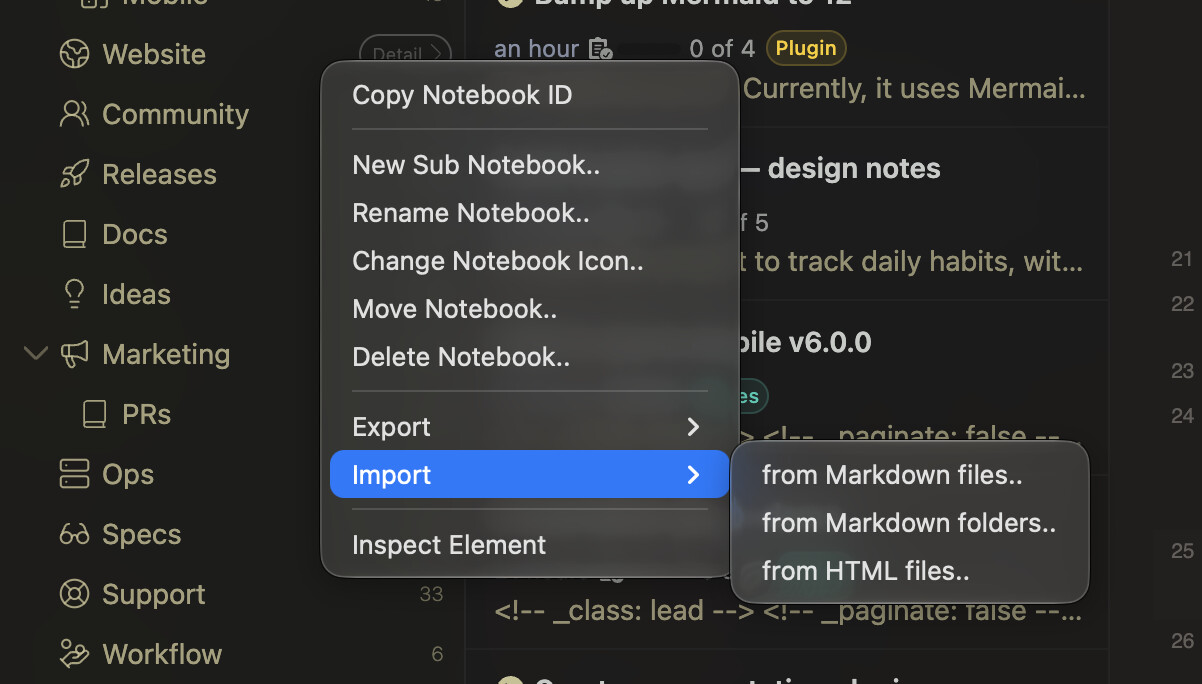
- Sidebar: Added Import and Export submenus to the notebook context menu
- Import Markdown files/folders or HTML files directly into the right-clicked notebook, skipping the notebook selection step
- Export as Markdown / HTML moved under the Export submenu, matching the application menu
- Framework: Bump Electron to 44.7.0
Bugfixes
- Editor: Changes to the open note from outside the editor (e.g., MCP agents) moved the cursor to the start and dropped the undo history
- Syntax theme: Tables with inline code couldn’t align (Thanks @Magnus)
- Notebook picker: Clicking the top match after filtering notebooks didn’t select it (e.g., the Import button stayed disabled in the import wizard)
- Import Markdown: The notification said 0 files were imported when importing a single file
For plugin developers
The local database API (inkdrop.localDB) has changed with the new search index. The types are updated in @inkdropapp/types 0.1.0.
- Query and search results are returned as
rows[].doc, instead ofdocs. Search highlights are inrows[].extra.fts. - Removed
notes.searchWithQuery. Usenotes.findAllIdsInBookandnotes.findAllIdsWithTaginstead ofutils.findAllNoteIdsInBookandutils.findAllNoteIdsWithTag. onFullTextIndexBuildStart/End/Errorare renamed toonIndexBuildStart/Progress/End/Error.notes.getalso accepts an array of note IDs.- Custom note list item views get search highlights from a new
highlightsprop, instead ofnote._fts. - Local HTTP server:
GET /notesreturns up to 50 notes by default whenlimitis omitted (it was 20).
Updated the migration guide:
Example migration:
Download
Thanks so much for your support 