Note creation flow adjustment
v6-rc.0 introduced a new template feature.
This version adjusts the note creation flow with a template, because I felt it interrupted my thought, and the same would happen to other people.
Instead of forcing you to pick a template or a blank note, it creates a blank note as before.
The editor placeholder now has a button “Choose a template Cmd/Ctrl-T”:
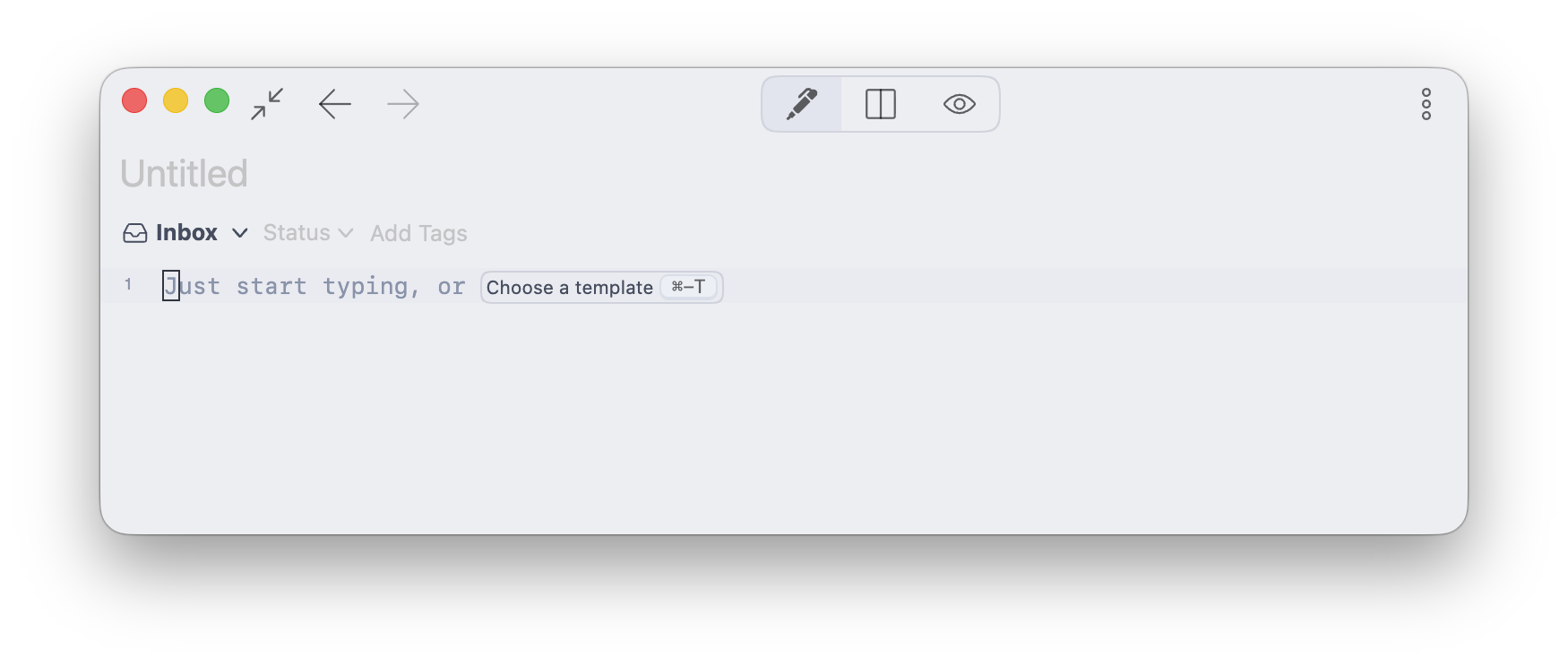
This way, the template picker is shown only when you want to pick a template.
I think it’s more natural than the previous flow. Besides, it fits the workflow creating a new note with [[ autocomplete better.
Bug Fixes
- When showing the slash command placeholder, the cursor size slightly changes (Thanks DG)
cm-newlineelements don’t follow the heading font size when enabling “Show invisible characters” (Thanks DG)
Download now
The binary links are available here:
The next task is to create a new website! I’m planning to create an embedded app demo so visitors can quickly try the new editor without downloading the app binary 
Thank you for your support, as always 