Hey, what’s up? It’s Takuya here.
I’m happy to announce that I just finished all the planned features in the roadmap vol.6! 
In Canary.20, I improved Next Edit Suggestions with AI, as well as the theming system.
From now on, I’ll be preparing for the official release of v6 
Theme previews 
The themes page in the preferences now shows visual preview cards for all three theme types — UI, syntax, and preview themes — so you can quickly see what each theme will look like before activating it.
These previews are not images; they’re live-rendered cards built from each theme’s color palette.
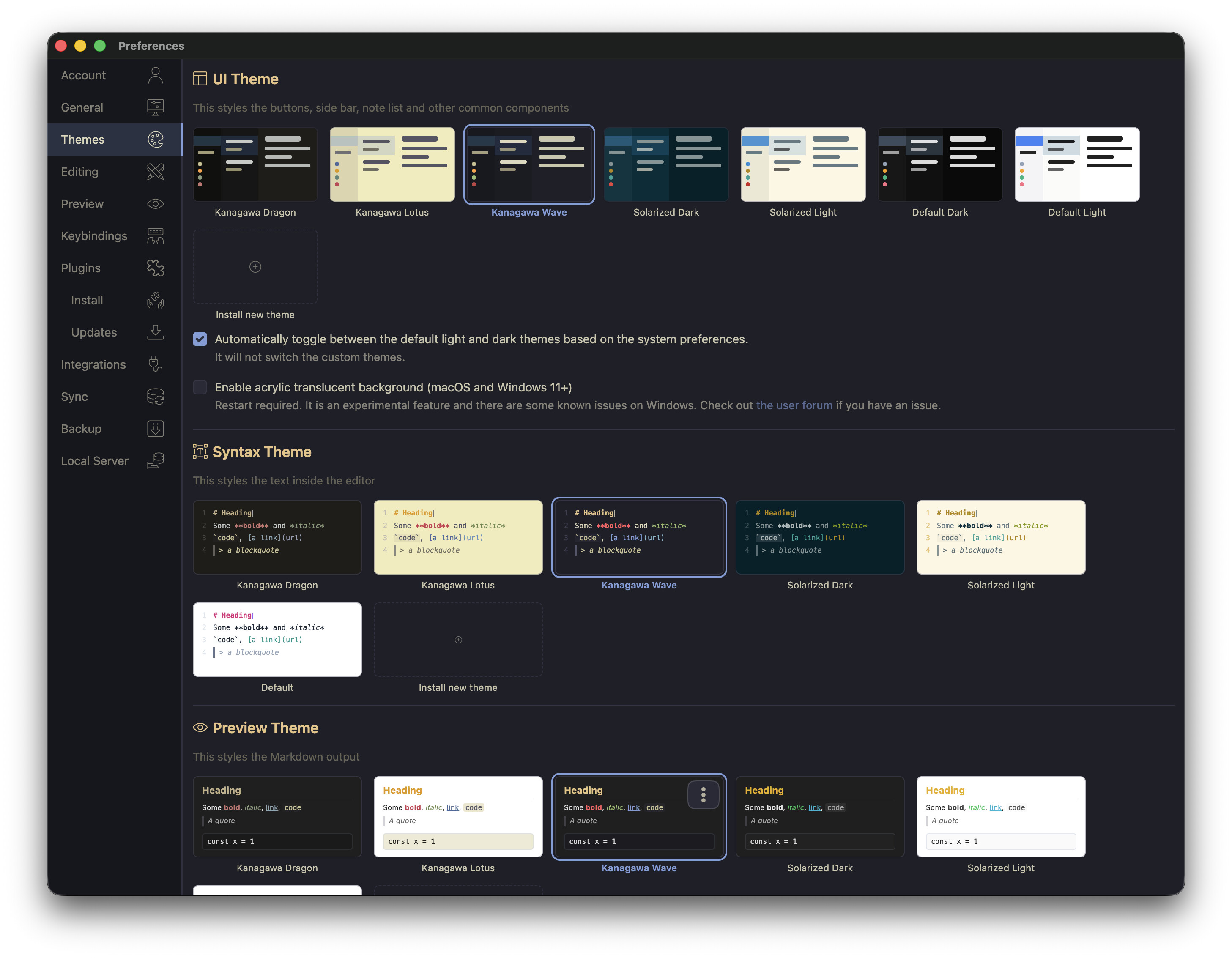
For theme developers, I updated the migration guide and theme development guide. Please check them out.
To generate palette.json properly for your themes, please update @inkdropapp/ipm-cli (v1.1.1) and @inkdropapp/theme-dev-helpers (v0.5.2) to the latest version.
New theme: Kanagawa 
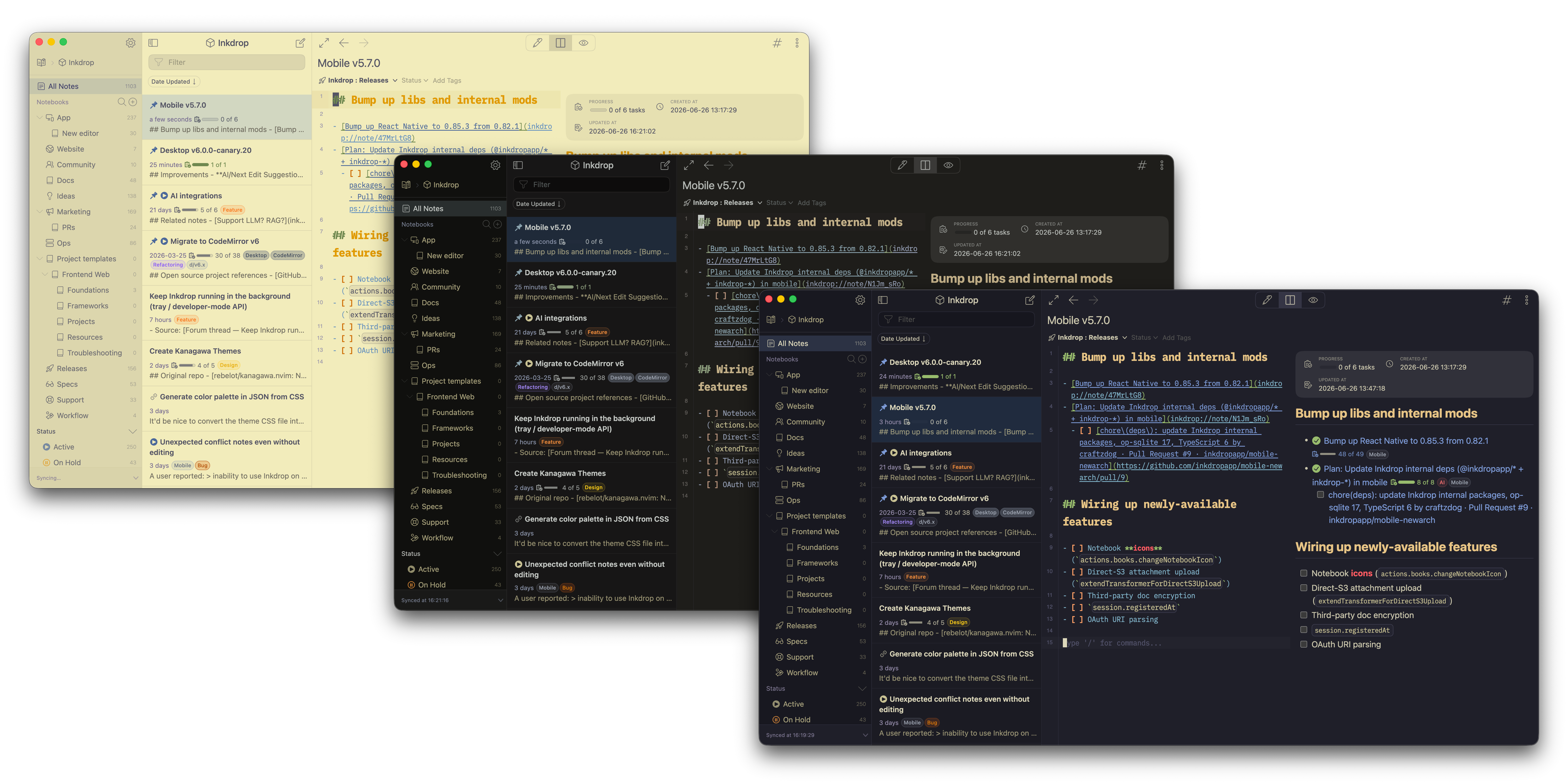
I’m happy to introduce the new Kanagawa theme collection, inspired by the colors of Katsushika Hokusai’s famous paintings.
The color palette is based on rebelot/kanagawa.nvim.
There are three variants: wave (the default heart-warming theme), dragon (for those late-night sessions), and lotus (for when you’re out in the open).
Each variant ships as three plugins — UI, syntax, and Markdown preview:
Enjoy Hokusai’s vibes
Default syntax theme overhaul
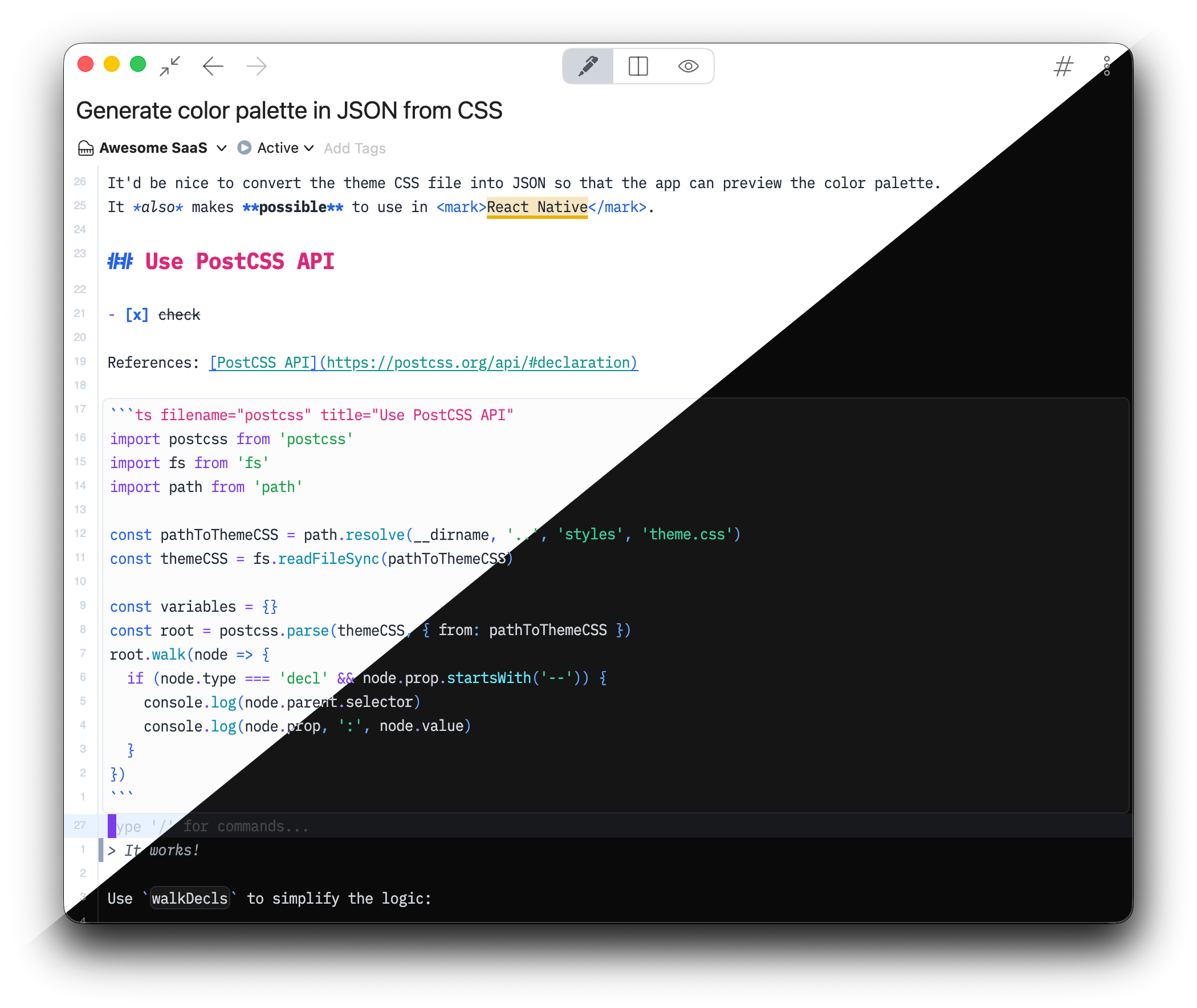
I updated the color palette of the default syntax theme to adopt Tailwind’s color scheme, because it uses the same design tokens and makes it easy for me to maintain.
As the default themes now support both light and dark color schemes, the default light & dark syntax themes have been merged into default-syntax.
It internally uses the light-dark CSS function to support both schemes.
GFM highlighting in fenced code blocks
When you write about Markdown, you often paste Markdown inside a fenced code block — and until now Inkdrop rendered those contents as bare Markdown.
Now a fenced code block tagged with markdown is highlighted with the full GitHub Flavored Markdown grammar: headings, emphasis, links, lists, task lists, and even nested fenced code blocks all get proper colors, in both the editor and the live preview.
YAML frontmatter inside those nested blocks is highlighted too (@inkdropapp/editor 0.0.64), so a README example like this feels right at home:
---
title: My Note
tags: [inkdrop, markdown]
---

# Hello

- [x] Write the docs
- [ ] Ship it

```js
console.log('Nested code blocks get highlighted too')
```
It makes writing plugin READMEs, documentation, and tutorials right inside Inkdrop much nicer. 
Next Edit Suggestions got smarter 
It now feeds the content of your linked notes and backlinks into the prompt as read-only context, so the AI can draw on terminology and facts from related notes when generating suggestions.
Bug fixes
- Notebook drag-and-drop reorder (wrong position / no-op) - Thanks @fed
- “A-Z Sort” (ascending) actually sorts in descending order
Roadmap completed 
I think it’s now ready to start preparing for the official launch of v6. I’m so excited!
Thank you so much for giving me feedback.
I would have been surprised if the me of a year ago had seen this result.
 Join the Canary testing
You can download the binary here:
How to give feedback
Please create a topic on the “Issues > Canary” category.
This is the most preferred way for me because I can manage which issue has been resolved or not.
We have our Discord server, where you can casually discuss and talk with other users.