Improved GitHub Integration with OAuth
You can now connect your GitHub account to Inkdrop via OAuth.
This allows the app to read your private repos to provide the following features:
- Embedded GitHub code snippets — When you paste a GitHub source link (e.g.,
https://github.com/owner/repo/blob/main/src/index.ts#L10-L20), Inkdrop fetches the code and embeds it as a syntax-highlighted code block in your note. This now works with private repositories, too. - Rich link titles for GitHub URLs — Pasting links to GitHub repos, issues, pull requests, commits, and source files now auto-fetches descriptive titles using the GitHub API, including for private repos.
Go to Preferences → Integrations and press Connect GitHub to connect your account.
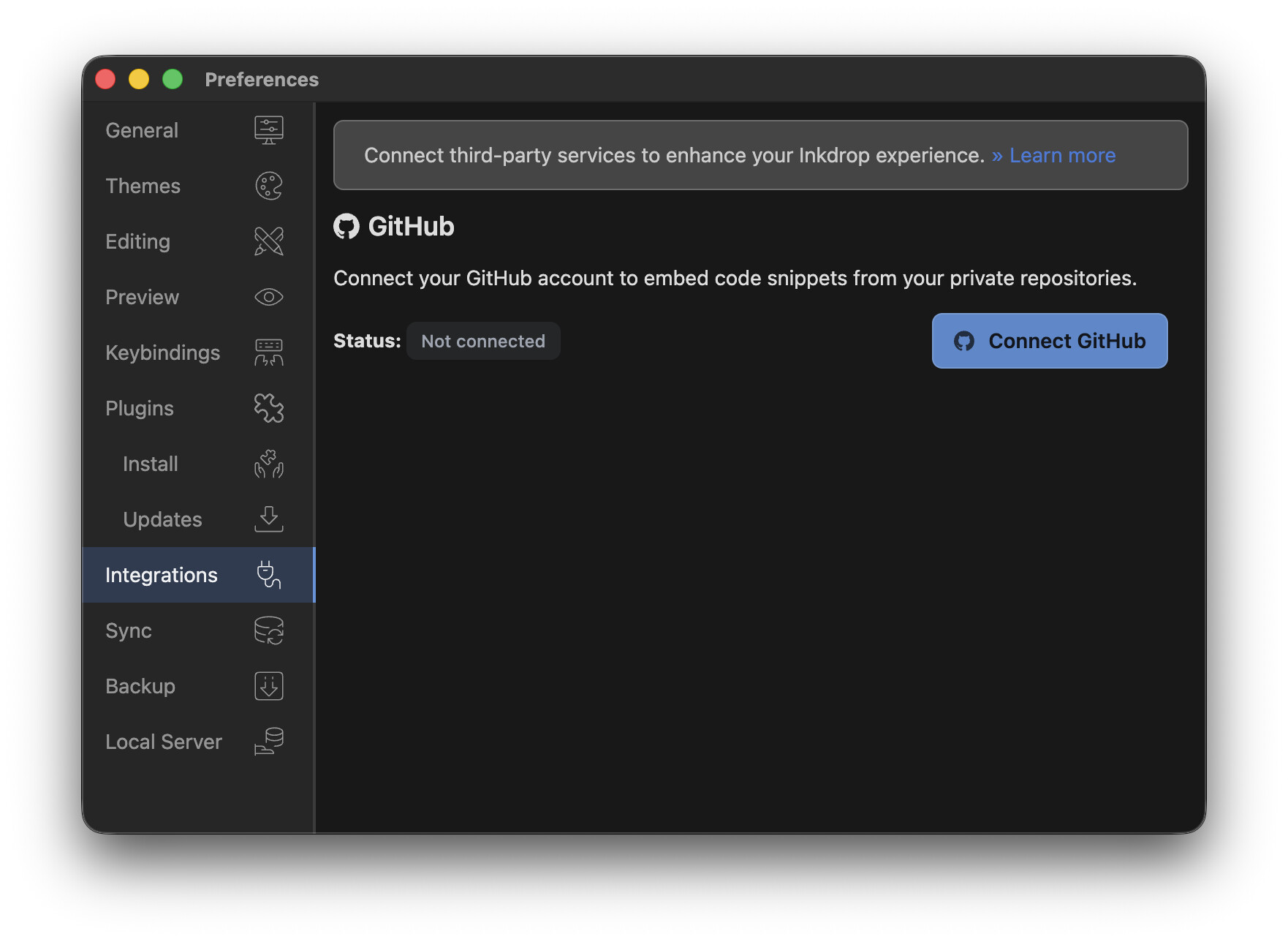
The access keys are securely stored in the remote database with end-to-end encryption. No need to authenticate on each computer. The keys can’t be accessed in the renderer process and are only used in the main process.
Improve performance and security by dropping @electron/remote
Inkdrop has been relying on Electron’s remote bridge to access objects of the main process from the renderer process. It has mainly been used for accessing the local database.
But it is known as a harmful approach as discussed in this blog post:
- It’s slow - Remote objects are ten thousand times slower than local objects
- It creates the potential for confusing timing issues
- Remote objects are subtly different to regular objects
- It’s a security vulnerability waiting to happen
To address this, I conducted a massive architectural overhaul — I created wrapper classes that have the same interfaces and invoke IPC calls.
This means the interface returned by inkdrop.main.dataStore.getLocalDB() is equivalent to inkdrop.localDB.
I’m happy that the migration from the remote module to IPC bridges resulted in 13x faster database access.
Here is the benchmark:
Old:
var _s = performance.now()
for (let i = 0 ; i < 1000; ++i) {
  structuredClone(await inkdrop.main.dataStore.local.notes.all())
}
var _e = performance.now()
console.log('took:', _e - _s, 'ms')

// -> took: 18761.80000001192 ms
New:
var _s = performance.now()
for (let i = 0 ; i < 1000; ++i)
  await inkdrop.localDB.notes.all()
var _e = performance.now()
console.log('took:', _e - _s, 'ms')

// -> took: 1326.199999988079 ms
The IPC bridges let me control which methods to expose to plugins, making the app more secure for users.
Since the API has changed, I’ll be updating the migration guide on the API docs here:
I would like you to test the basic behaviors since the migration involves a large portion of the codebase and it might cause some regressions.
Bug Fixes
- Plugin search returns compatible versions for v5: The plugin registry now correctly filters out incompatible plugin versions when searched from the desktop v5 client, so you no longer see plugins that won’t work with your version. (Thanks @SDO)
- Telescope respects sidebar visibility: Notebook and tag search modes in Telescope are now disabled when the sidebar is hidden or in distraction-free mode, preventing broken search results. (Thanks @p1n9_d3v)
- Multiple cursors restored: Fixed missing multiple cursor support in the editor. (Thanks @Nicolo_Pitsch)
- Note list remembers sort-by-rank: The note list now correctly persists the “rank” sort order across sessions.
Vim Plugin Improvements
- Disable system clipboard sync — New option to prevent yank/delete operations from overwriting the system clipboard, keeping your Vim registers and system clipboard separate. (Thanks @birtles)
- Relative line numbers — New option to display relative line numbers in the editor, making it easier to use Vim motion commands like
5jor12k. (Thanks @p1n9_d3v)
 Join the Canary testing
Warning
Canary is meant to be early testing. You cannot expect it as stable as the official release. Feedback is appreciated!
You can download the binary here:
How to give feedback
Please create a topic on the “Issues > Canary” category.
This is the most preferred way for me because I can manage which issue has been resolved or not.
We have our Discord server, where you can casually discuss and talk with other users.