Canary v14 - No active editor Bug

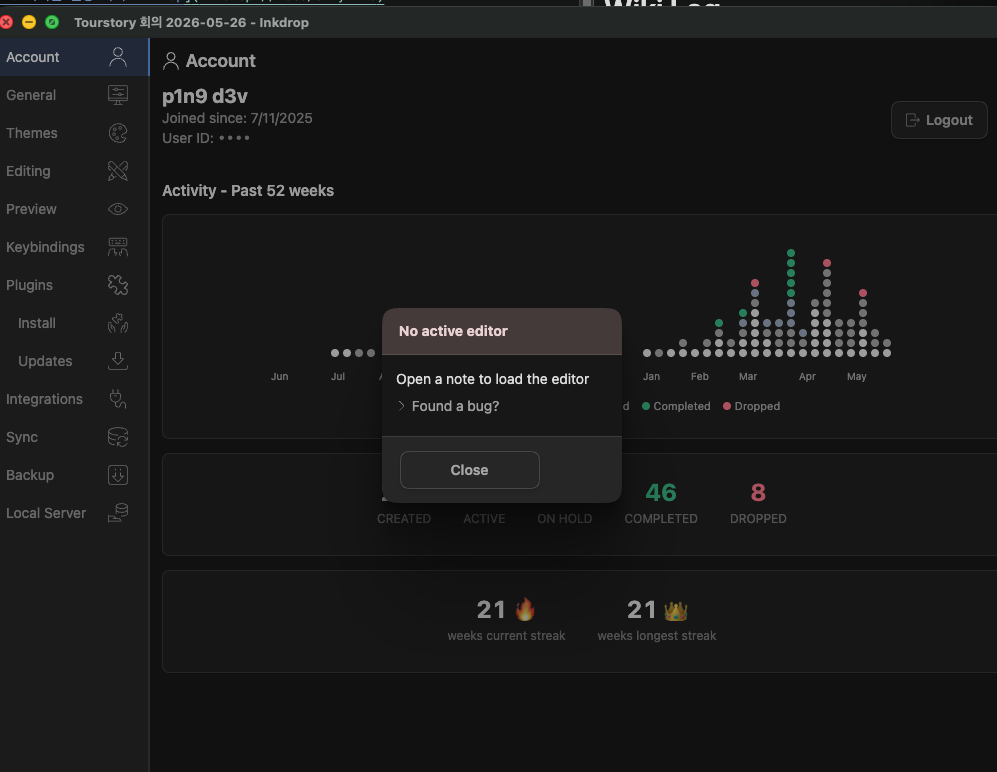
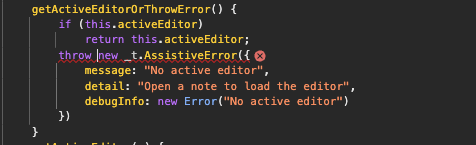
Error: No active editor
    at sf.getActiveEditorOrThrowError (file:///Applications/Inkdrop.app/Contents/Resources/app.asar/browser-main.js:2:1270616)
    at Op (file:///Applications/Inkdrop.app/Contents/Resources/app.asar/browser-main.js:2:1231125)
    at file:///Applications/Inkdrop.app/Contents/Resources/app.asar/browser-main.js:2:1243223

The error occurs when I open the settings window.

OS: Mac
Inkdrop: canary v14

Hi @p1n9_d3v ,

Thanks for reporting.
That’s weird. I couldn’t reproduce it.

    at file:///Applications/Inkdrop.app/Contents/Resources/app.asar/browser-main.js:2:1243223

This line invokes core:open-note for some reason. Does the callstack have remaining lines?

browser-main.js:2 Uncaught AssistiveError: No active editor
    at sf.getActiveEditorOrThrowError (browser-main.js:2:1270516)
    at Op (browser-main.js:2:1231125)
    at browser-main.js:2:1243163
browser-main.js:2 Uncaught AssistiveError: No active editor
    at sf.getActiveEditorOrThrowError (browser-main.js:2:1270516)
    at Op (browser-main.js:2:1231125)
    at browser-main.js:2:1243223

Thanks. It means that the preferences window tried to restore the navigation state, but it should only happen on the main window.
Looks like you are still on canary v14. Can you try upgrading it to v15?

If it still happens, can you run the below script in the developer console and share the result?

console.log(window.location.href)
console.log(inkdrop.windowType)

also, please share the stacktrace of the error logs in the console.

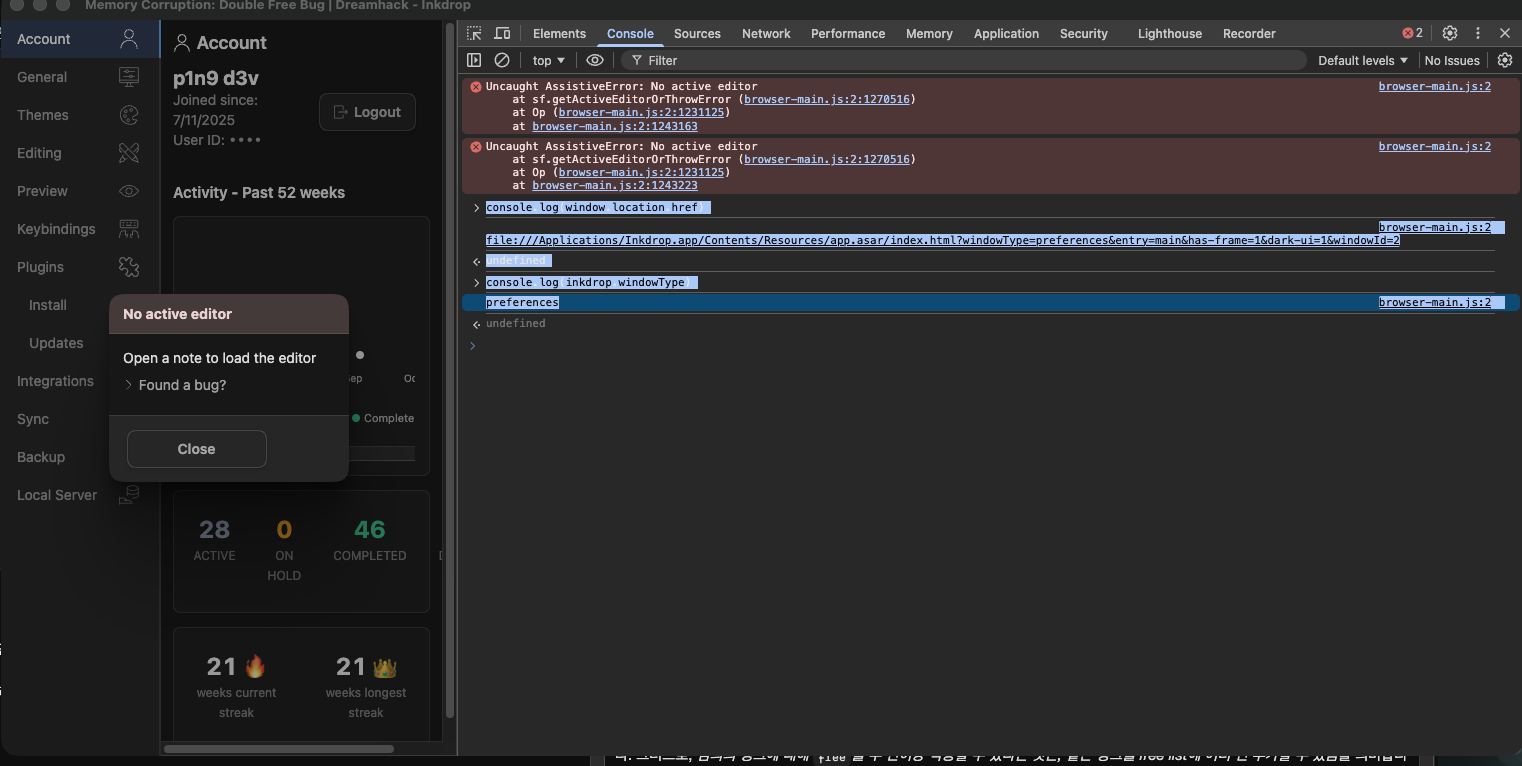
It occurs the same error after upgrading to Canary v15
image

and this is the log for window.location.href and inkdrop.windowType


browser-main.js:2 Uncaught AssistiveError: No active editor
at sf.getActiveEditorOrThrowError (browser-main.js:2:1270516)
at Op (browser-main.js:2:1231125)
at browser-main.js:2:1243163
browser-main.js:2 Uncaught AssistiveError: No active editor
at sf.getActiveEditorOrThrowError (browser-main.js:2:1270516)
at Op (browser-main.js:2:1231125)
at browser-main.js:2:1243223

console.log(window.location.href)
file:///Applications/Inkdrop.app/Contents/Resources/app.asar/index.html?windowType=preferences&entry=main&has-frame=1&dark-ui=1&windowId=2
undefined

console.log(inkdrop.windowType)
browser-main.js:2 preferences
undefined

Thanks for the info.
hmm, the window type looks correct.
Do you remember when it started happening?

I added a debug log and built a binary:

https://d3ip0rje8grhnl.cloudfront.net/tmp/inkdrop-6.0.0-canary.15-arm64-mac_patch-1.zip

It will output a trace log in the core:open-note command handler so we can see the full stacktrace in the developer console. Can you try it?

Note: This is a binary built from the latest codebase

Thank you for your reply.
I don’t know when this error occurred.
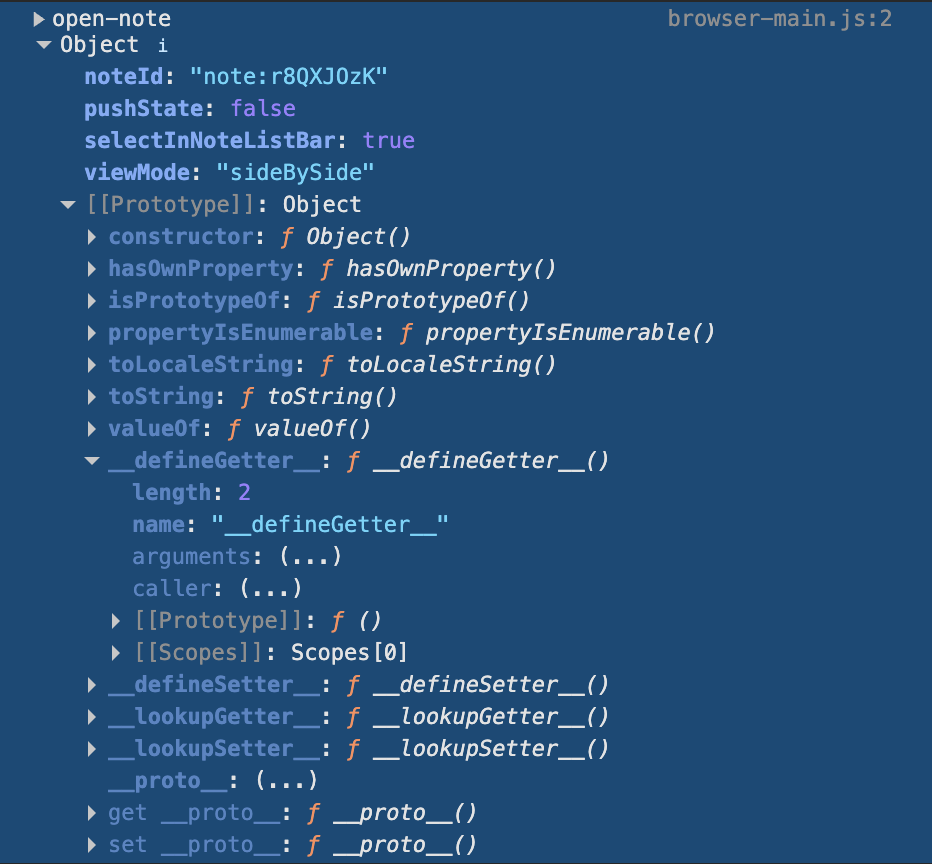
I installed the binary, and I get the log below.

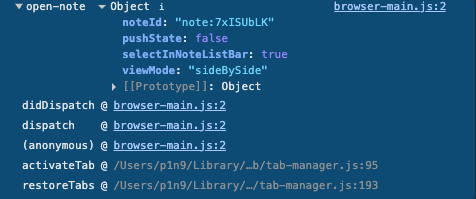
cool. Could you expand the left toggle of “open-note”, which gives us the stacktrace?

Oh, sorry, Is this the right log?

browser-main.js:2 open-note ObjectnoteId: "note:7xISUbLK"pushState: falseselectInNoteListBar: trueviewMode: "sideBySide"[[Prototype]]: Object
didDispatch @ browser-main.js:2
dispatch @ browser-main.js:2
(anonymous) @ browser-main.js:2
activateTab @ /Users/p1n9/Library/Application Support/inkdrop-canary/packages/note-tabs/lib/tab-manager.js:95
restoreTabs @ /Users/p1n9/Library/Application Support/inkdrop-canary/packages/note-tabs/lib/tab-manager.js:193
browser-main.js:2 Uncaught AssistiveError: No active editor
    at xf.getActiveEditorOrThrowError (browser-main.js:2:1218619)
    at Mp (browser-main.js:2:1178211)
    at browser-main.js:2:1190595
browser-main.js:2 Uncaught AssistiveError: No active editor
    at xf.getActiveEditorOrThrowError (browser-main.js:2:1218619)
    at Mp (browser-main.js:2:1178211)
    at browser-main.js:2:1190655

Gotcha.
The plugin note-tabs was calling the core:open-note command.
The root cause is that plugins are unexpectedly activated in the preferences window.
I’ll fix it in the next version. Thanks!
Sounds great! Thanks for looking into it and tracking down the cause. I’ll wait for the next release.

1 Like