※English is not my first language, so the original Japanese text is included below for reference.
While trying out the custom template feature, I ran into the following issue. I’d appreciate it if you could take a look.
Environment:
- Inkdrop Desktop v6.0.0
- macOS
Steps to reproduce:
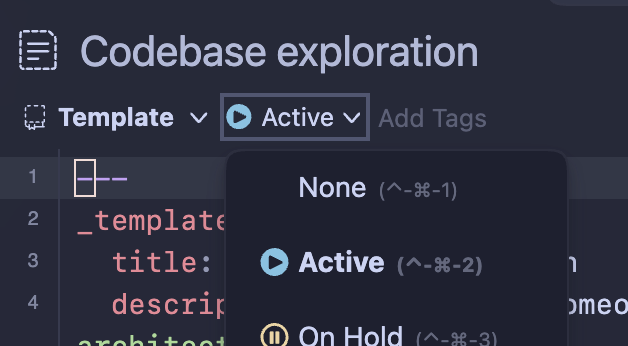
- Create a custom template with the following content:
---
_template:
  status: Active
---

TEST ERROR NOTE.
- Create a note from that template
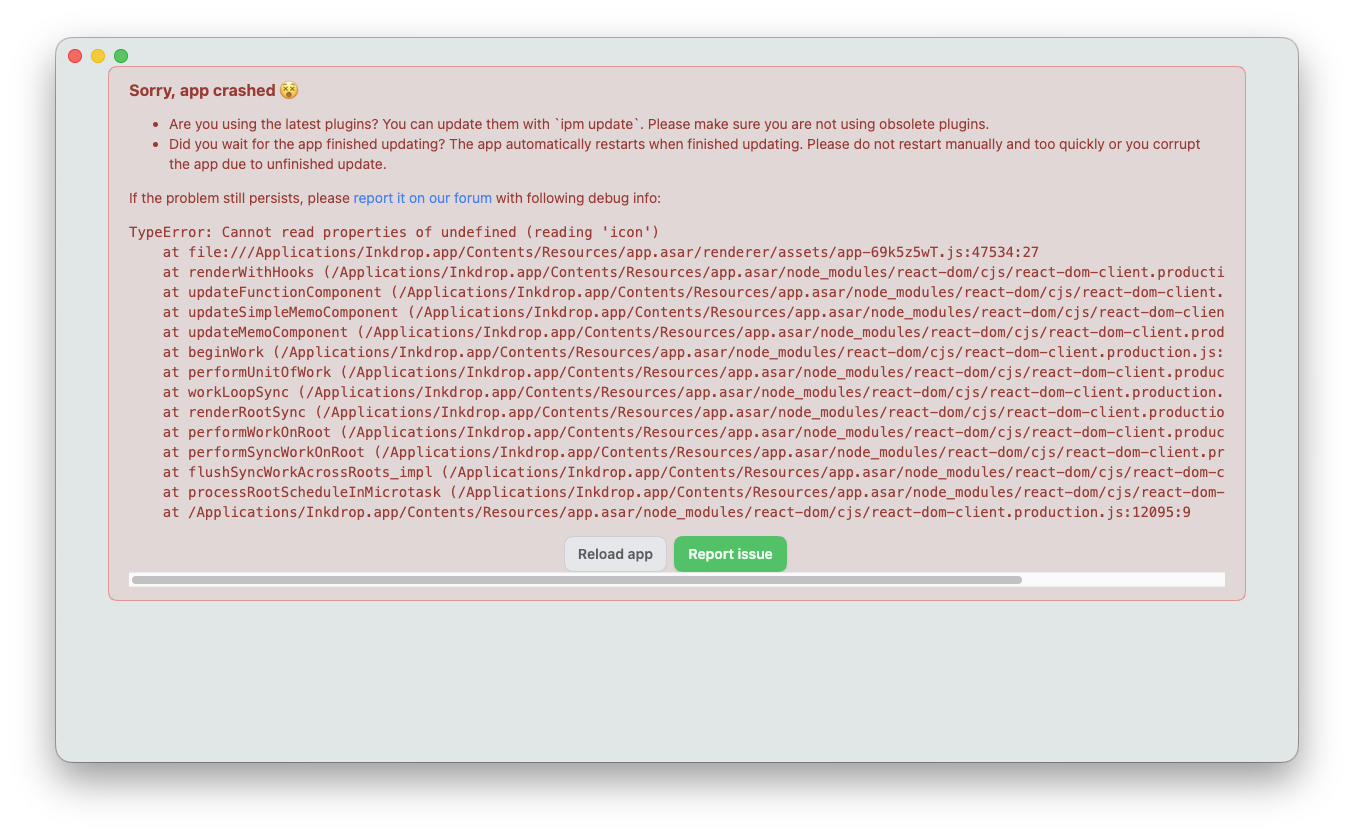
- The UI stops rendering entirely and only the crash screen is shown
- The crash screen persists after [Reload app] and after restarting the app
This does not happen if status is lowercase (active).
Stack trace:
TypeError: Cannot read properties of undefined (reading 'icon')
    at file:///Applications/Inkdrop.app/Contents/Resources/app.asar/renderer/assets/app-69k5z5wT.js:47534:27
    at renderWithHooks (/Applications/Inkdrop.app/Contents/Resources/app.asar/node_modules/react-dom/cjs/react-dom-client.production.js:4351:21)
    at updateFunctionComponent (/Applications/Inkdrop.app/Contents/Resources/app.asar/node_modules/react-dom/cjs/react-dom-client.production.js:6497:15)
    at updateSimpleMemoComponent (/Applications/Inkdrop.app/Contents/Resources/app.asar/node_modules/react-dom/cjs/react-dom-client.production.js:6237:10)
    at updateMemoComponent (/Applications/Inkdrop.app/Contents/Resources/app.asar/node_modules/react-dom/cjs/react-dom-client.production.js:6178:9)
    at beginWork (/Applications/Inkdrop.app/Contents/Resources/app.asar/node_modules/react-dom/cjs/react-dom-client.production.js:7784:14)
    at performUnitOfWork (/Applications/Inkdrop.app/Contents/Resources/app.asar/node_modules/react-dom/cjs/react-dom-client.production.js:11305:14)
    at workLoopSync (/Applications/Inkdrop.app/Contents/Resources/app.asar/node_modules/react-dom/cjs/react-dom-client.production.js:11182:37)
    at renderRootSync (/Applications/Inkdrop.app/Contents/Resources/app.asar/node_modules/react-dom/cjs/react-dom-client.production.js:11163:7)
    at performWorkOnRoot (/Applications/Inkdrop.app/Contents/Resources/app.asar/node_modules/react-dom/cjs/react-dom-client.production.js:10728:40)
    at performSyncWorkOnRoot (/Applications/Inkdrop.app/Contents/Resources/app.asar/node_modules/react-dom/cjs/react-dom-client.production.js:12086:3)
    at flushSyncWorkAcrossRoots_impl (/Applications/Inkdrop.app/Contents/Resources/app.asar/node_modules/react-dom/cjs/react-dom-client.production.js:11956:17)
    at processRootScheduleInMicrotask (/Applications/Inkdrop.app/Contents/Resources/app.asar/node_modules/react-dom/cjs/react-dom-client.production.js:11990:5)
    at /Applications/Inkdrop.app/Contents/Resources/app.asar/node_modules/react-dom/cjs/react-dom-client.production.js:12095:9
Entering an invalid value was my own mistake, but recovering from the crash screen was quite difficult, so it would be great if the app could handle an invalid status without crashing.
(One idea: fall back to status: none.)
Japanese
カスタムテンプレート機能を試している際に、以下の挙動が起こったため、ご確認いただけるとありがたいです。
環境:
- Inkdrop v6.0.0
- macOS Desktop 版
再現手順:
- 以下の内容でカスタムテンプレートを作る
---
_template:
  status: Active
---

TEST ERROR NOTE.
- そのテンプレートからノートを作成する
- UI が一切描画されなくなり、クラッシュ画面のみが表示される
- [Reload app] や再起動を行ってもクラッシュ画面が表示される
status を小文字の active にすると発生しませんでした。
スタックトレースは以下になります:
TypeError: Cannot read properties of undefined (reading 'icon')
    at file:///Applications/Inkdrop.app/Contents/Resources/app.asar/renderer/assets/app-69k5z5wT.js:47534:27
    at renderWithHooks (/Applications/Inkdrop.app/Contents/Resources/app.asar/node_modules/react-dom/cjs/react-dom-client.production.js:4351:21)
    at updateFunctionComponent (/Applications/Inkdrop.app/Contents/Resources/app.asar/node_modules/react-dom/cjs/react-dom-client.production.js:6497:15)
    at updateSimpleMemoComponent (/Applications/Inkdrop.app/Contents/Resources/app.asar/node_modules/react-dom/cjs/react-dom-client.production.js:6237:10)
    at updateMemoComponent (/Applications/Inkdrop.app/Contents/Resources/app.asar/node_modules/react-dom/cjs/react-dom-client.production.js:6178:9)
    at beginWork (/Applications/Inkdrop.app/Contents/Resources/app.asar/node_modules/react-dom/cjs/react-dom-client.production.js:7784:14)
    at performUnitOfWork (/Applications/Inkdrop.app/Contents/Resources/app.asar/node_modules/react-dom/cjs/react-dom-client.production.js:11305:14)
    at workLoopSync (/Applications/Inkdrop.app/Contents/Resources/app.asar/node_modules/react-dom/cjs/react-dom-client.production.js:11182:37)
    at renderRootSync (/Applications/Inkdrop.app/Contents/Resources/app.asar/node_modules/react-dom/cjs/react-dom-client.production.js:11163:7)
    at performWorkOnRoot (/Applications/Inkdrop.app/Contents/Resources/app.asar/node_modules/react-dom/cjs/react-dom-client.production.js:10728:40)
    at performSyncWorkOnRoot (/Applications/Inkdrop.app/Contents/Resources/app.asar/node_modules/react-dom/cjs/react-dom-client.production.js:12086:3)
    at flushSyncWorkAcrossRoots_impl (/Applications/Inkdrop.app/Contents/Resources/app.asar/node_modules/react-dom/cjs/react-dom-client.production.js:11956:17)
    at processRootScheduleInMicrotask (/Applications/Inkdrop.app/Contents/Resources/app.asar/node_modules/react-dom/cjs/react-dom-client.production.js:11990:5)
    at /Applications/Inkdrop.app/Contents/Resources/app.asar/node_modules/react-dom/cjs/react-dom-client.production.js:12095:9
不正な値をいれてしまったのは自分のミスなのですが、クラッシュ画面からの復旧が大変なため、不正な値が status に指定されている場合でもクラッシュしない挙動だとありがたいです。
(思いつきではありますが、status: none になるような挙動)