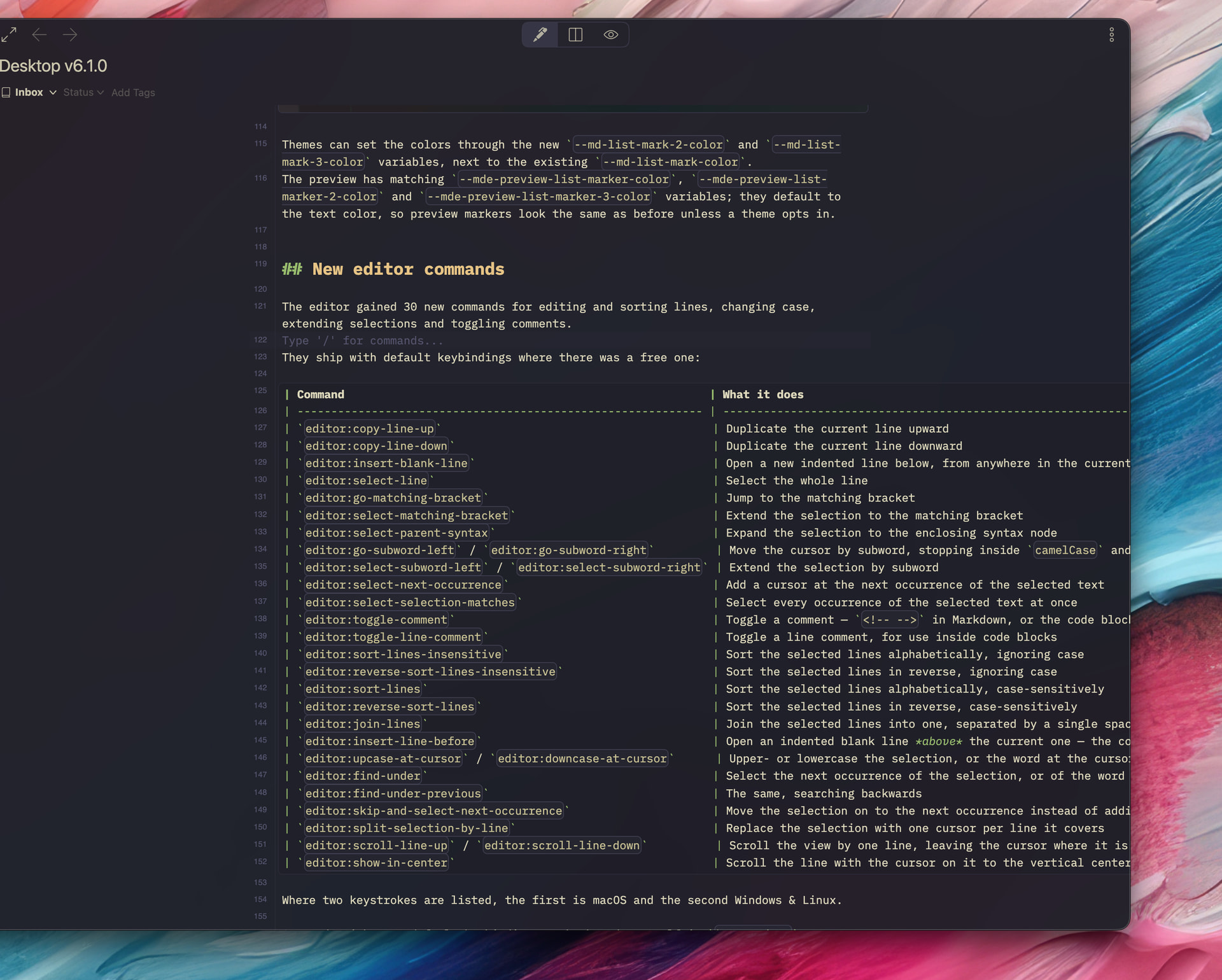
I really like editing with line-wrapping and readable line length as it makes it easier to read the documents. However, lately I have been using tables a lot in some of the documents I’ve been editing and the markdown for a table quickly outgrows the width of readable line length, and even line-wrapping when using full screen. This makes the tables extremely hard to read and edit as table rows will end up spanning multiple editor rows.
I don’t have a perfect solution in mind but I do have a suggestion, which would be to simply let tables (only) not line-wrap and flow out of the readable line length and then adding a horizontal scroll-bar to the table.
I know this could be a plugin instead but it just seem like such a necessary addition to be able to edit tables with line-wrapping that it really feels like it should be an editor feature.
Thanks for the suggestion.
Yeah, that’s one of the biggest frictions for a plain-text Markdown editor.
You are right, and I considered the possibility of partially disabling line-wrapping, too.
The problem is that CodeMirror allows line-based text styling. It requires to replace a multi-line block with an embedded separate CodeMirror instance, which would be something for WSYISWG-style features.
I found a workaround to partially disable line-wrapping with CSS.
It cancels the line-wrapping styles for .cm-line.md-table:
.cm-editor .cm-content.cm-lineWrapping {
  min-width: 0;
}
.cm-editor .cm-line.md-table {
  white-space: pre !important;
  word-break: normal !important;
  overflow-wrap: normal !important;
  width: max-content;
  min-width: 100%;
  box-sizing: border-box;
}
It scrolls the entire viewport instead of the table blocks, but I think it’s fine as a plain-text editor.
However, I think there would be a few quirks to fix, so we should carefully test it.
For example, the text selection layer is broken when selecting multiple lines.
I also found a few bugs in the editor decorations during the exploration.