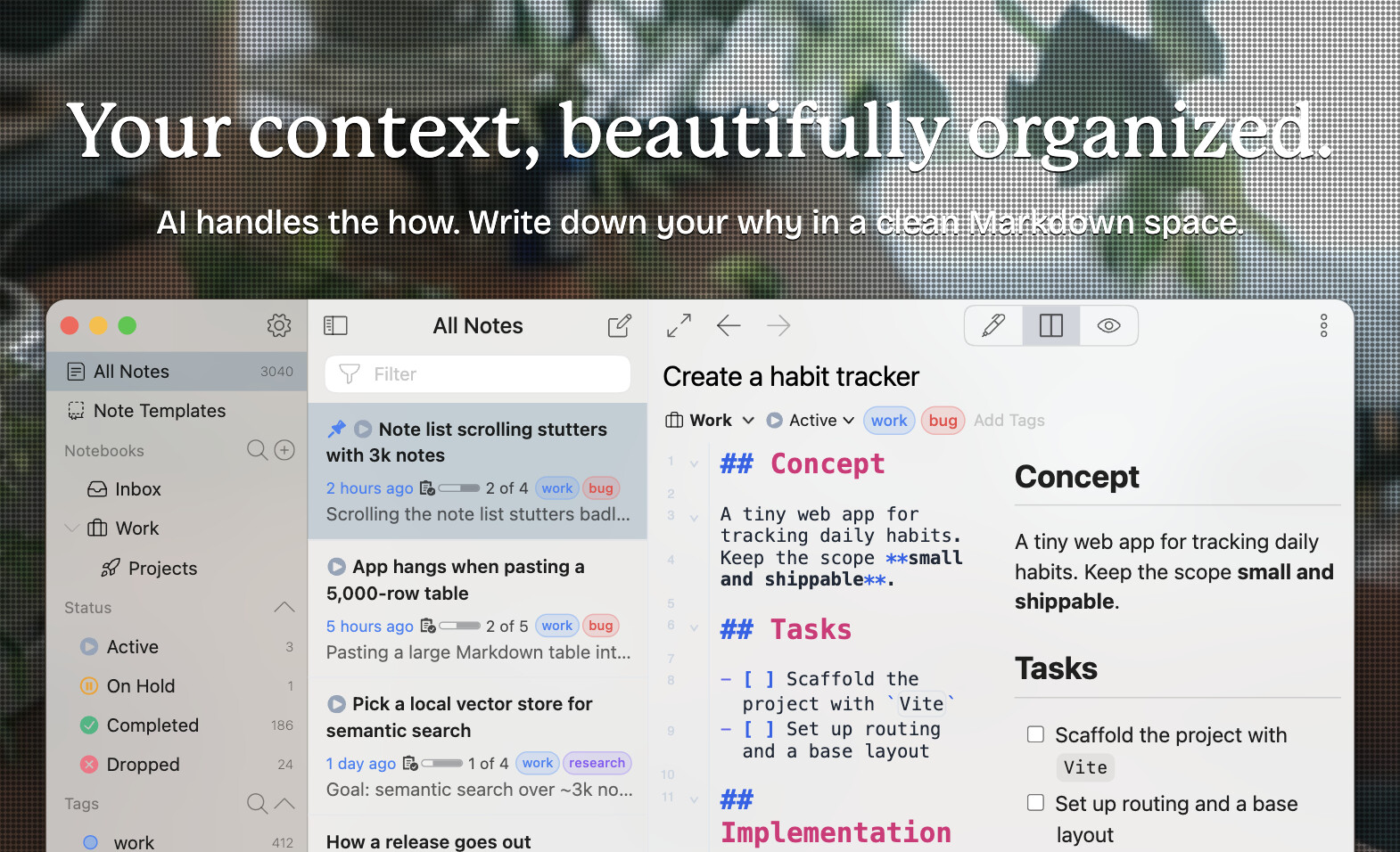
Hey, what’s up? It’s Takuya here.
I’m so excited to announce that Inkdrop v6 has been officially released!
It’s got a lot of ground-up improvements, like a new Markdown editor and new built-in AI integrations optimized for recent agentic coding workflows, while keeping the non-distracting, simple, and clean UX.
First, let me say thank you so much for patiently waiting during development, and for giving me feedback during canary testing.
It wouldn’t have been possible without your support.
I also completely rebuilt the website, which has a live demo of the new version:
What’s new in v6 at a glance
- A new editor built on CodeMirror 6 — floating toolbar, slash commands, autocompletion everywhere,
[[note links, and in-editor image resizing - A new Markdown renderer — find in preview, code blocks with language icons and line numbers, GitHub snippet embeds, and Mermaid with pan/zoom and theming
- Built-in AI — opt-in and bring-your-own-key — an inline assistant, Next Edit Suggestions, and one-click MCP server setup for agents like Claude Code
- Telescope (
Cmd/Ctrl+K) — fuzzy search across commands, notebooks, tags, and the outline of the note you’re writing - Note templates, notebook icons, manual notebook ordering, and activity stats
- A new theming system — one package of CSS variables instead of three, live previews, and new official themes (Kanagawa, Solarized, Nord)
- 13x faster database access — more comfortable note navigation
- ARM64 support — for Windows and Linux
- No more
[conflicted]notes — concurrent edits are merged automatically - A rebuilt plugin toolchain — a standalone
ipmCLI and official TypeScript definitions
Please check out the release notes to learn what’s new in v6:
Migration from v5 to v6
Inkdrop v6 includes some breaking changes: certain plugins and advanced customizations may not work anymore.
It will gracefully disable incompatible plugins and customizations.
Check out the migration guide here for more details:
Back up your data before upgrading
I tested the data migration process carefully, but I can’t be certain it works in every environment. So, please make a backup just in case:
Download
Inkdrop v5 won’t automatically update to v6, to avoid surprising existing v5 users.
So, please download it here:
What’s next: Mobile version
I’m already working on updating the mobile app for iOS and Android.
I think it can be done relatively quickly since the specifications are mostly settled.
The main difference is the framework: React Native.
I’m planning to support importing desktop themes using the JSON palette data.
The editor will have the same functionality, such as slash commands and autocomplete.
I’m looking forward to hearing your thoughts on the new version!
Thanks again for your support 