Hey guys! I’m excited to announce v6-canary.9, which comes with a bunch of sidebar improvements! Here we go~~
Notebook Icons
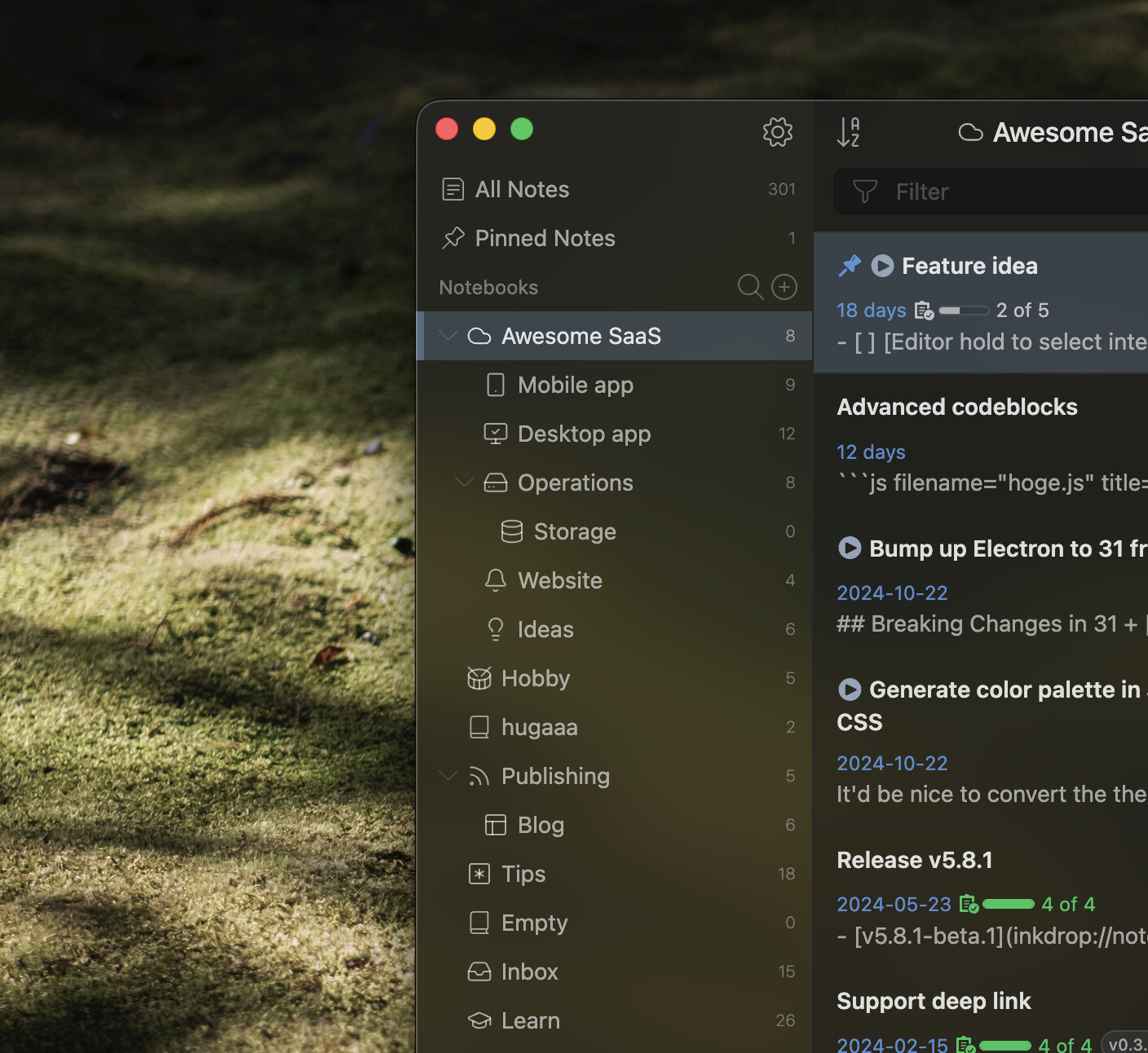
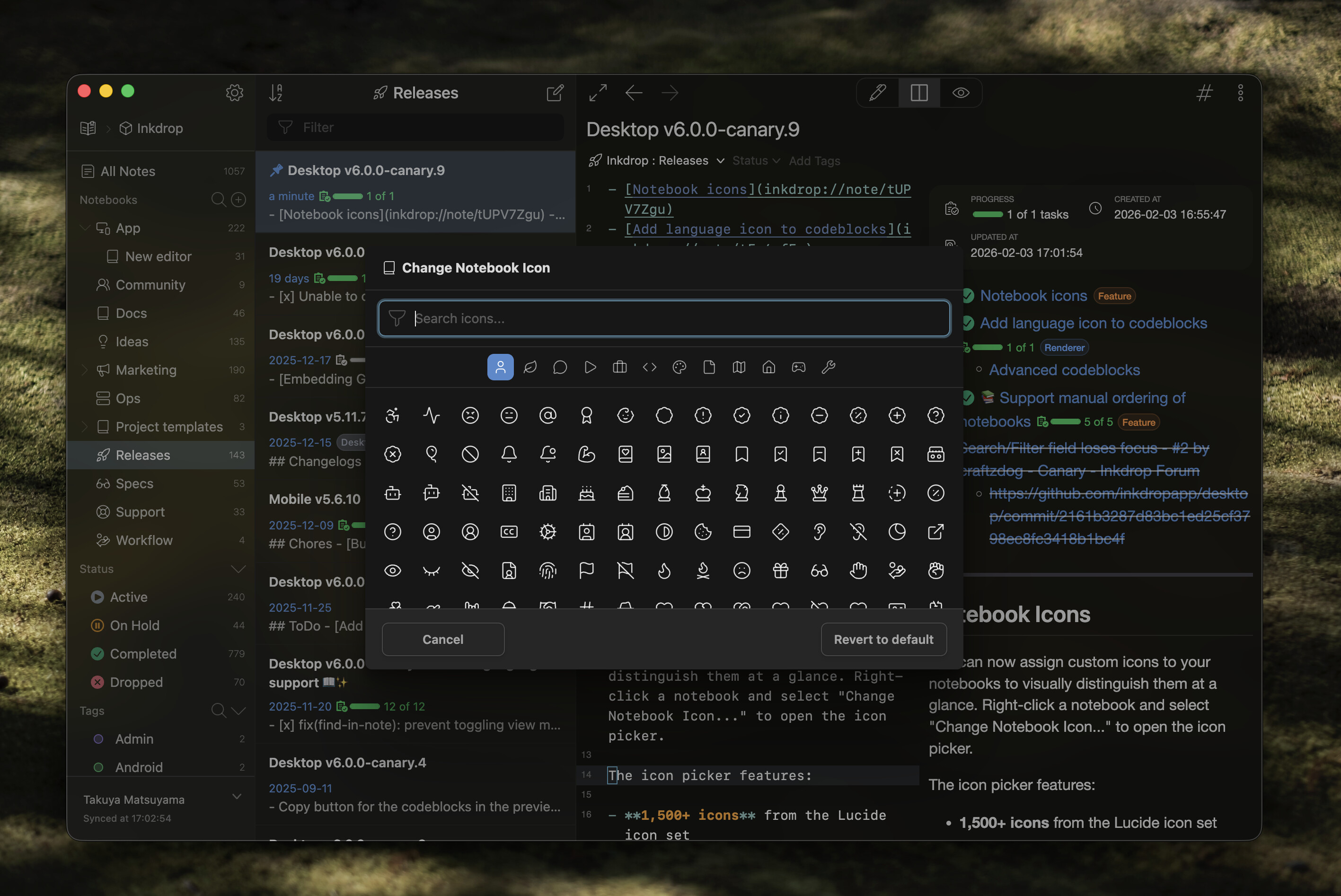
You can now assign custom icons to your notebooks to visually distinguish them at a glance. Right-click a notebook and select “Change Notebook Icon…” to open the icon picker.
The icon picker features:
- 1,500+ icons from the Lucide icon set
- Category tabs for quick browsing (General, Design, Development, Files, etc.)
- Search functionality to find icons by name
Icons are displayed throughout the app including the sidebar, telescope, and notebook selectors in dialogs.
Language Icons for Codeblocks
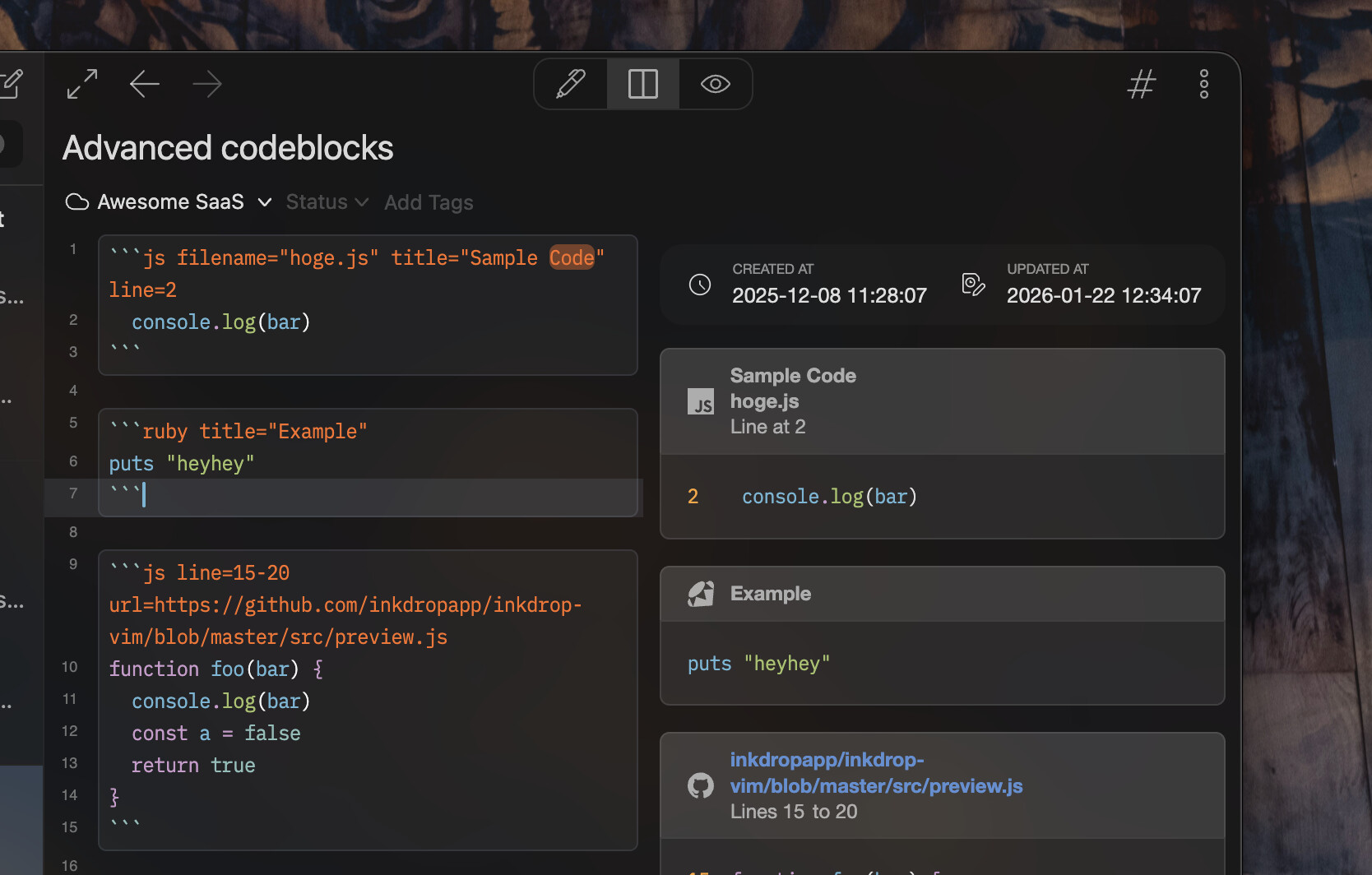
Codeblocks now display language-specific icons in the preview, making it easier to identify the programming language at a glance. Icons are shown for popular languages including JavaScript, TypeScript, Python, Rust, Go, Ruby, and many more.
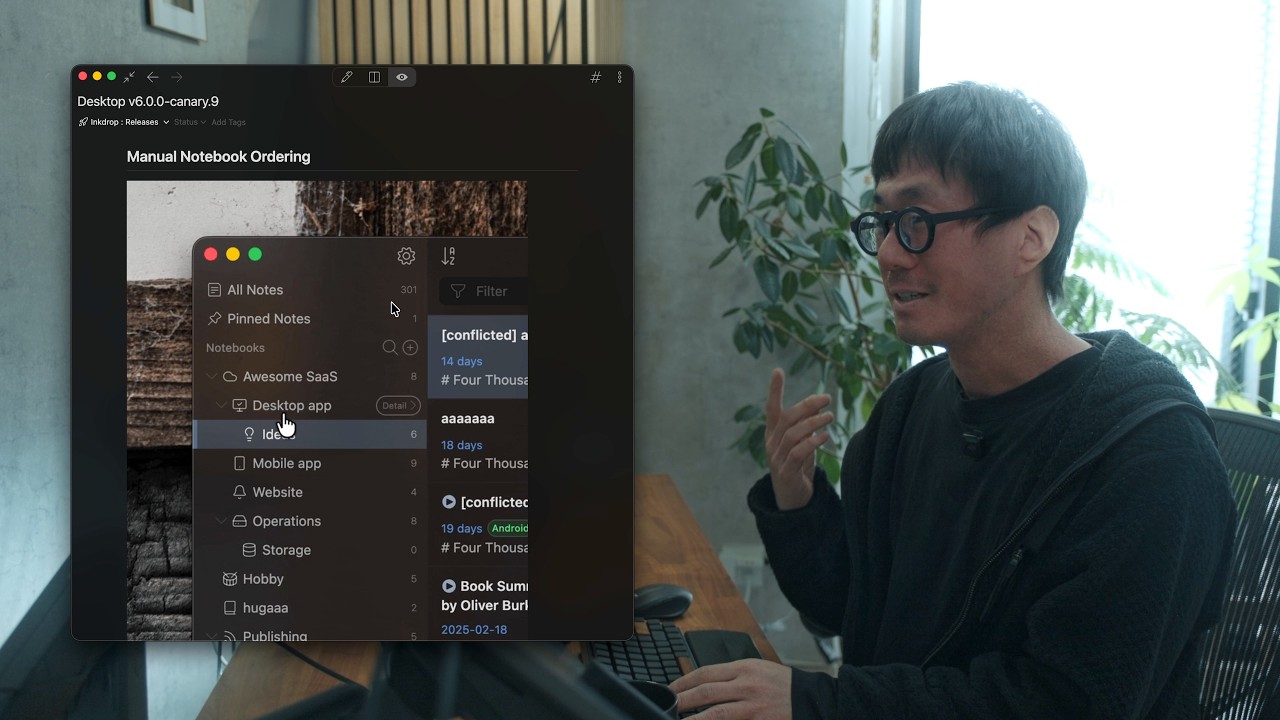
Manual Notebook Ordering
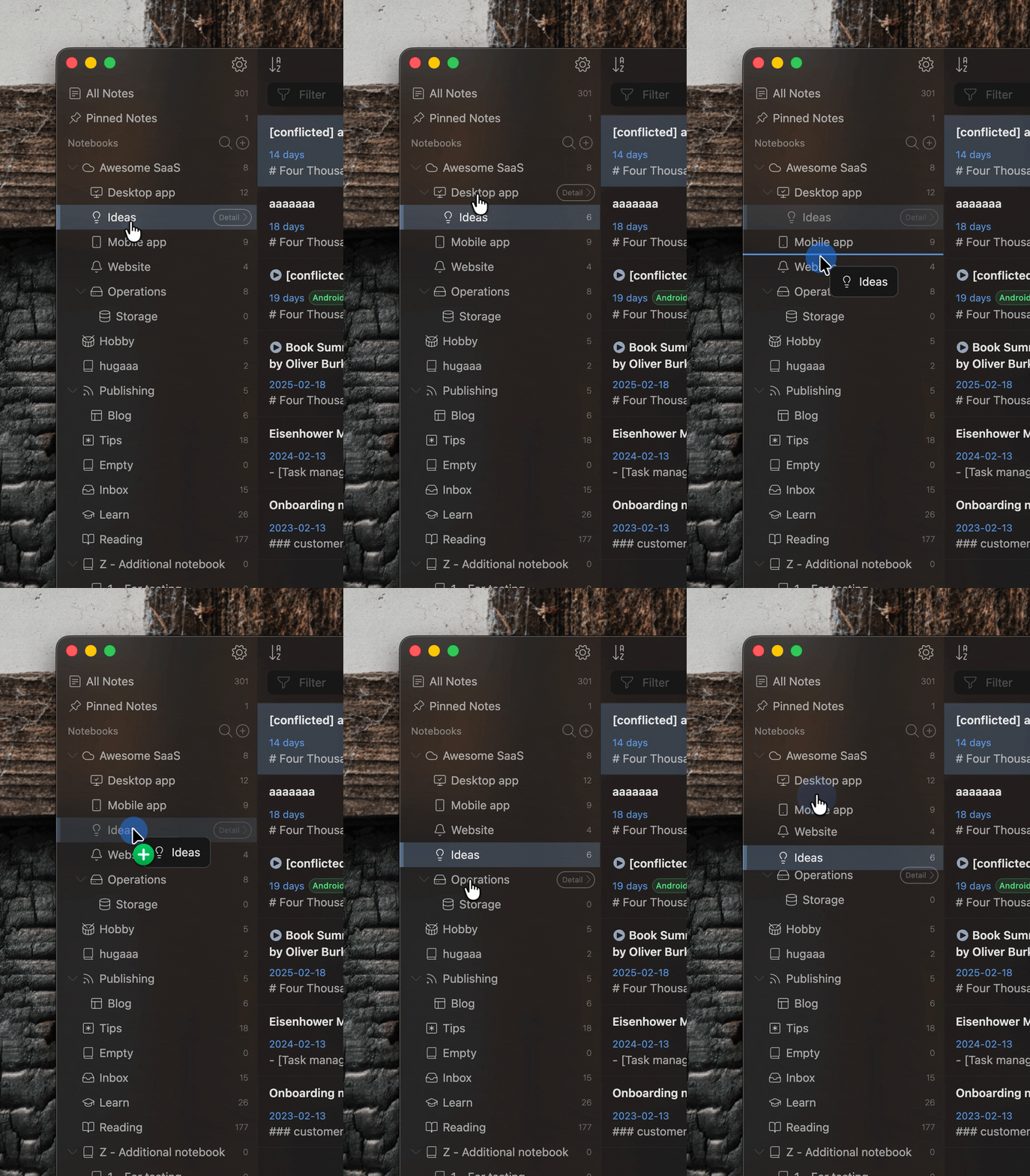
You can now drag and drop notebooks in the sidebar to arrange them in your preferred order. Previously, notebooks were sorted alphabetically. The custom order syncs across your devices.
Improvements
- Bump up Electron from 38.7.2 to 39.4.0 - v39.4.0 | Electron Releases
Bug Fixes
- Search/filter field loses focus - Fixed an issue where the search field would lose focus unexpectedly when switching notes (Thanks @J_N)
- Plugin manager (ipm) - Fixed an issue where package tarballs couldn’t be downloaded via the v2 API endpoint
- Plugin updates - Fixed an issue where packages weren’t properly deactivated before updating
Join the Canary testing
[!warning]
Canary is meant to be early testing. You cannot expect it as stable as the official release. Feedback is appreciated!
You can download the binary here:
How to give feedback
Please create a topic on the “Issues > Canary” category.
This is the most preferred way for me because I can manage which issue has been resolved or not.
We have our Discord server, where you can casually discuss and talk with other users.