Hey, what’s up? In Canary.18 I worked on another AI feature and themes!
Note: Canary.17 had a bug where syntax highlighting was not working. I republished the fixed version as Canary.18
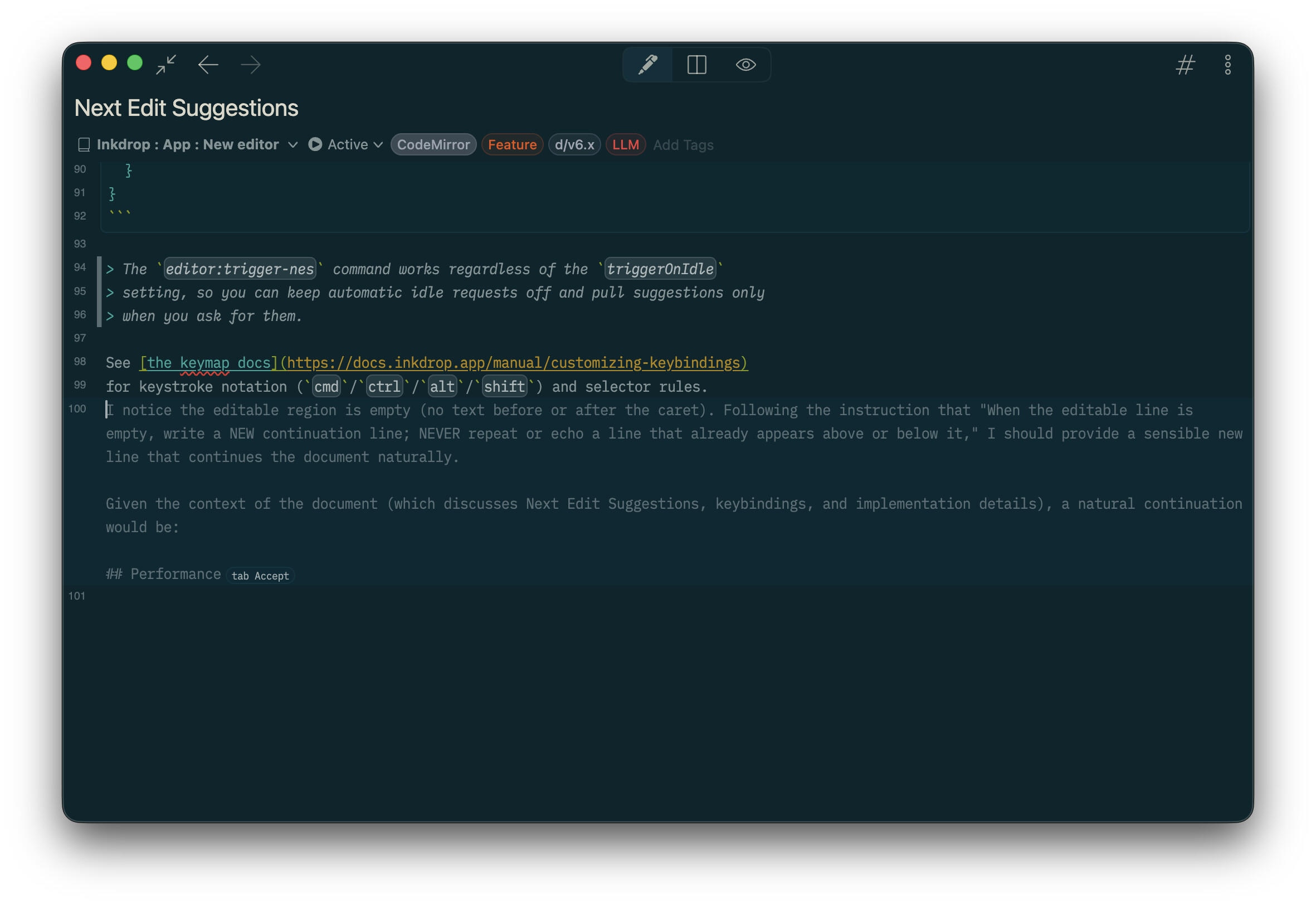
 AI: Next edit suggestions
Canary.16 supported the first AI feature called the inline AI assistant, which helps you edit selected text with AI.
This version now supports next edit suggestions, which predict next edits with AI.
This is one of the popular AI features nowadays, like GitHub Copilot.
It’s useful when writing repetitive content or following structured patterns in your tech notes.
To use this feature, go to Preferences → Integrations, and set up at least one AI provider.
Read the doc here for more details.
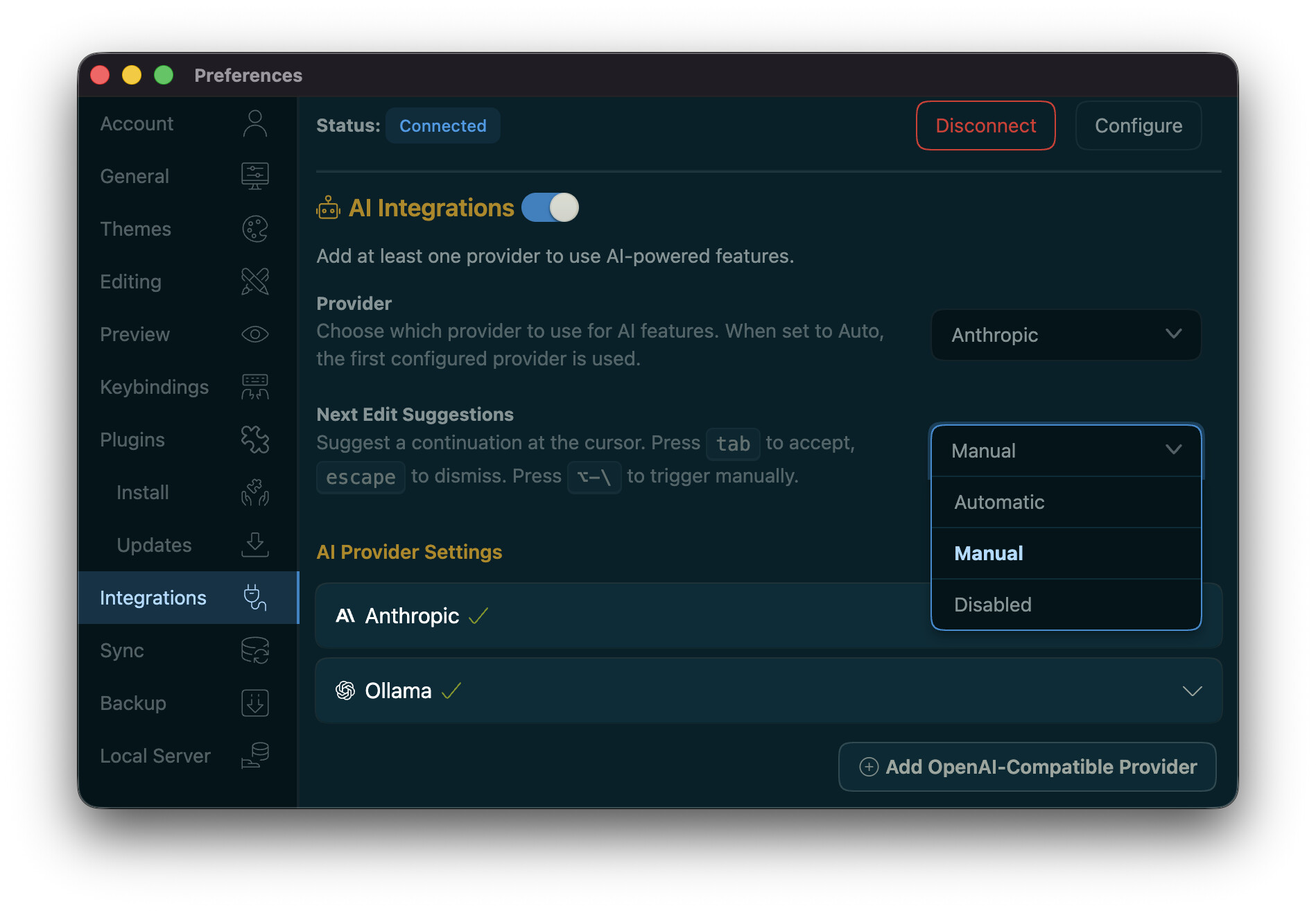
There are three modes:
- Automatic: Suggests the next edit automatically as you type.
- Manual: Trigger the suggestion manually by pressing Alt+\ (Default)
- Disabled: Turns off the feature.
Press Tab to accept the suggestion, or press Escape to dismiss it.
For a note-taking app, I felt it was kind of distracting to get suggestions automatically, so the mode is set to Manual by default.
See the docs for more details:
 Custom themes are now available
Theming was complicated in v5 because themes had to deliver a complete set of component styles based on Semantic UI. It was a huge blocker for me to update the existing component styles.
Themes are meant to tweak colors and some additional styles. It should be like a thin layer over the base styles.
So, I defined CSS variables to allow themes to tweak styles easily without caring about the base styles.
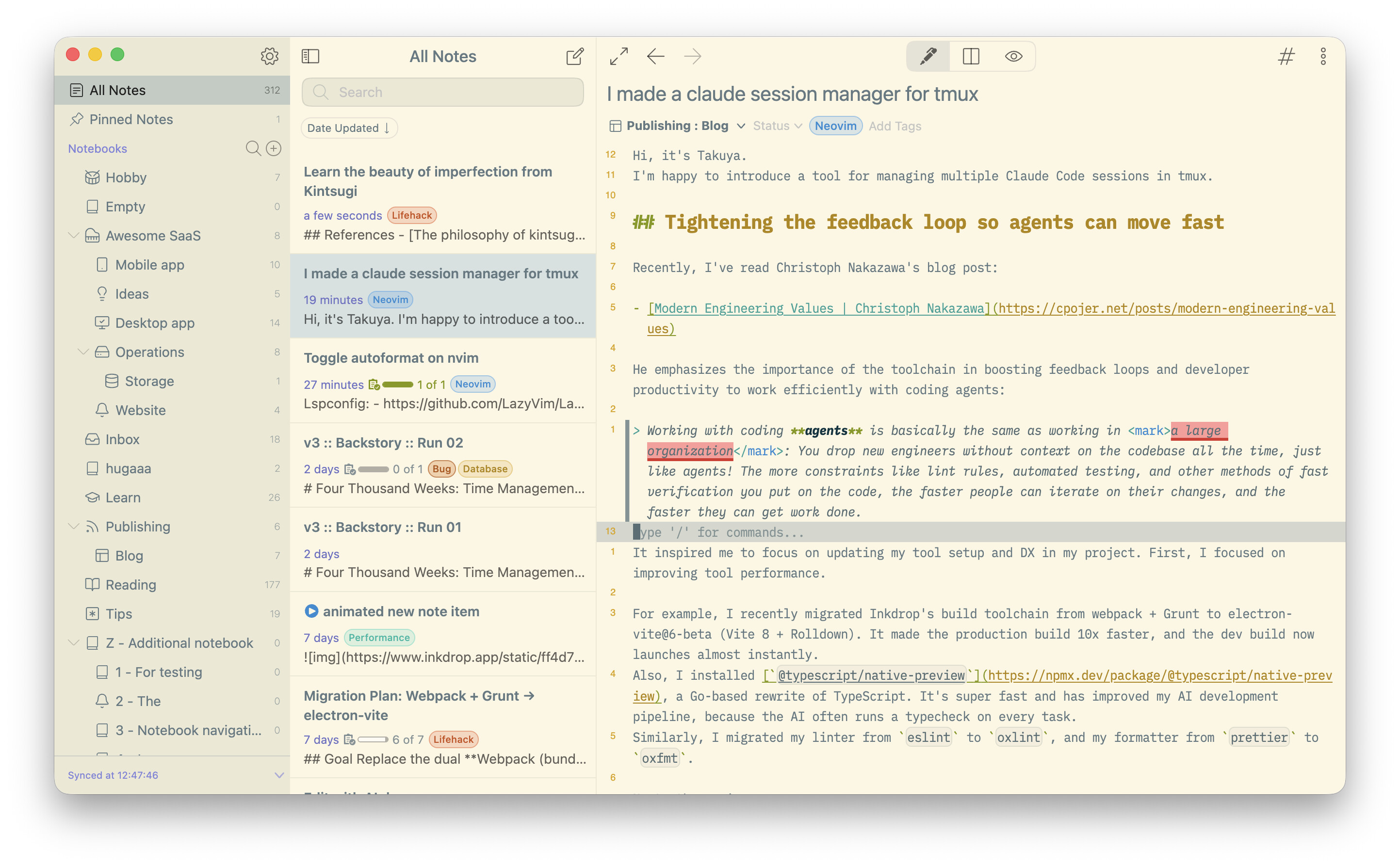
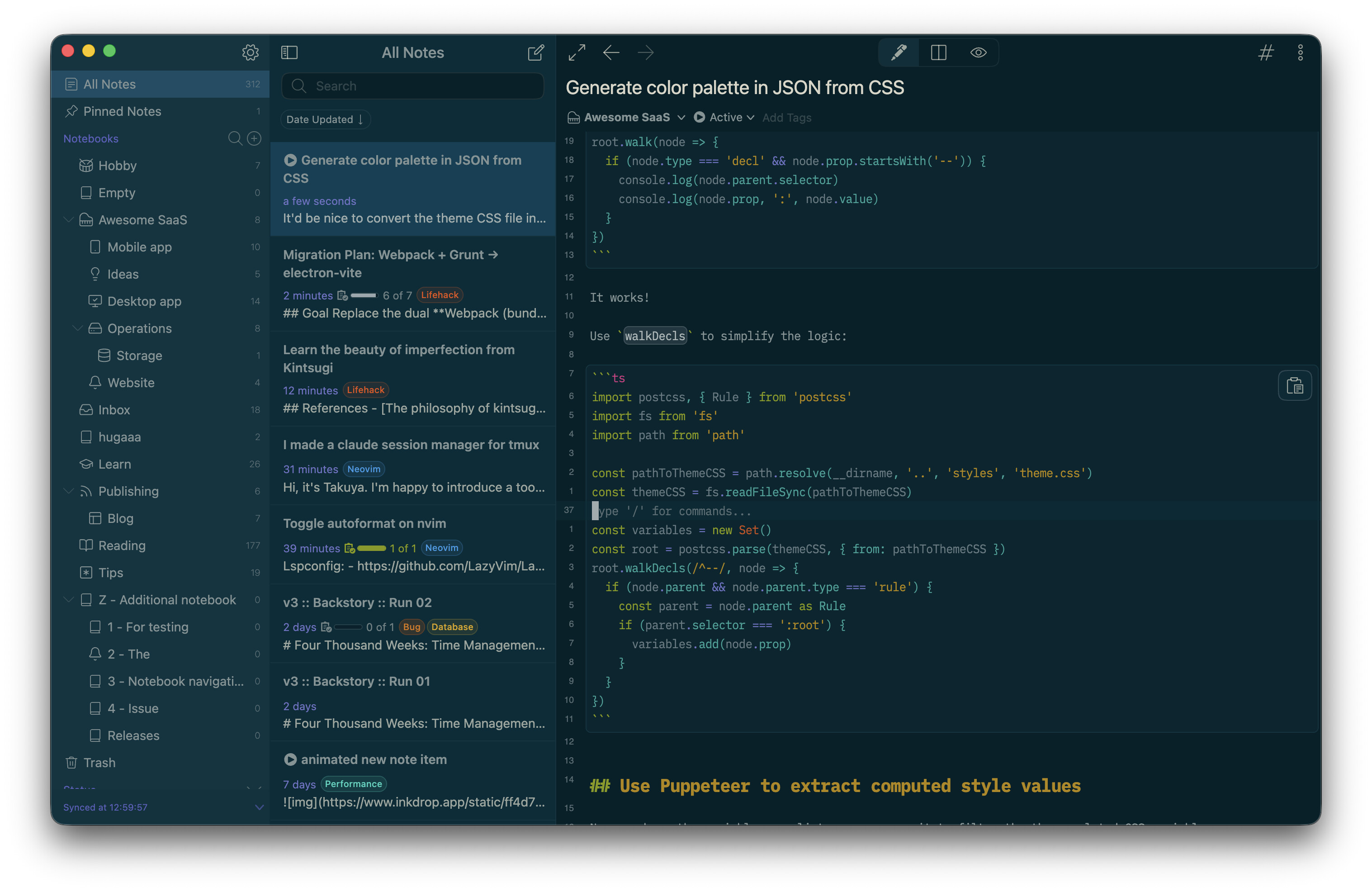
As an example, I published Solarized themes.
Solarized Light
Solarized Dark
How to migrate your existing themes to v6
I’ve updated the theme development guide here: Creating a theme - Inkdrop API Reference.
And also updated the migration guide: Plugin Migration Guide from v5 to v6 - Inkdrop API Reference.
You can press the Copy as Markdown button on the pages, let your AI agent read them, and have it update your existing themes 

ipm now supports ipm init for scaffolding a new plugin
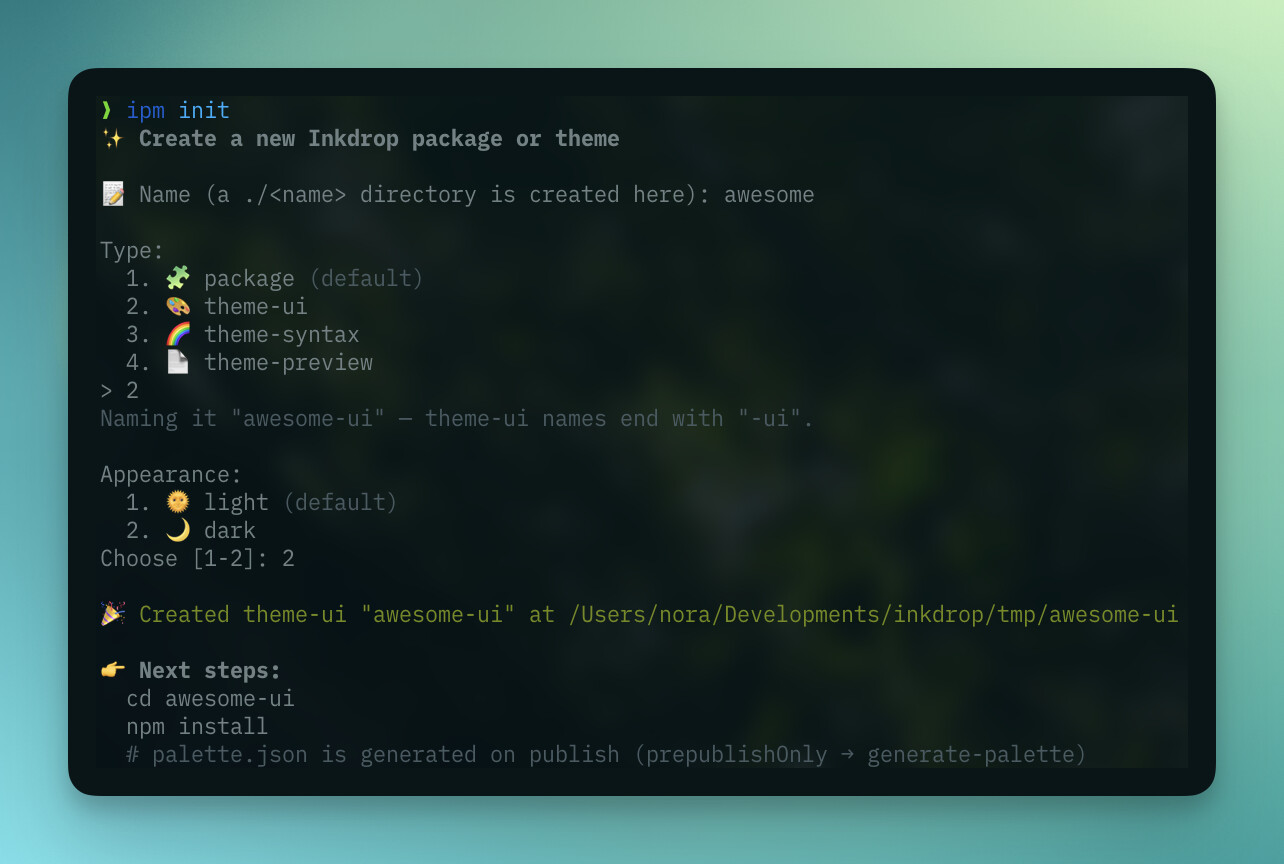
I published @inkdropapp/ipm-cli@1.1.0.
Until now, starting a new plugin or theme meant copying an existing repo and editing it by hand.
The new ipm init command scaffolds a fresh project for you in seconds:
# A TypeScript plugin in ./my-plugin
ipm init my-plugin

# A theme — pick the type you want
ipm init my-theme --type theme-ui
ipm init my-theme --type theme-syntax
ipm init my-theme --type theme-preview
Run ipm init with no arguments and it launches an interactive wizard that asks for the name and type (and, for UI themes, the light/dark appearance). Theme names get the matching -ui / -syntax / -preview suffix automatically.
Plugins come ready to build: TypeScript, tsdown, and @inkdropapp/types are all wired up, so you just npm install && npm run build, then ipm link to try it out. Themes get the right theme / themeAppearance / styleSheets manifest plus a starter stylesheet — and syntax themes pull the latest default-light example, so you begin from a complete, commented set of CSS variables and .tok-* token classes instead of a blank file.
The guides have been updated to start from ipm init too: Plugin: Word count and Creating a theme.
 Improvements
A few under-the-hood upgrades landed in this release too:
- Updated Electron from 39.8.7 to 41.7.1. This pulls in newer Chromium and Node.js, so the app rides on the latest web-platform, performance, and security fixes.
- The editor action menu is now a native menu. The old right-side editor drawer has been replaced with a native menu that drops down from the more button in the editor header — or press Cmd/Ctrl+J.
It lets you get proper keyboard navigation (arrow keys, type-ahead, Enter to run an action, Escape to close). - Rebuilt drag & drop on a maintained library. I migrated the sidebar and note-list drag-and-drop from the long-unmaintained
react-dndto@dnd-kit. Everything behaves exactly as before — dragging notes onto notebooks, tags, or statuses, reordering and nesting notebooks, and multi-select drag — just on a modern foundation that’s much easier to keep healthy going forward.
 Bug fixes
- Editor: Fixed being unable to create a new tag in the note’s tag input bar when what you typed partially matched an existing tag.
- Editor: Fixed editor styles not being applied to URLs that include a port number (e.g.
http://localhost:3000) (Thanks @shimizu_tatsuya). - AI: Raised the maximum output token limit so responses from local LLMs are no longer cut off mid-way (thanks @Lukas and @p1n9_d3v).
- Local http server: Task counts now update correctly when a note is saved via the local HTTP server (Bug report).
- UI: Switching between workspaces no longer shuffles and re-animates the workspace tag list.
- UI: Navigating the sidebar with the arrow keys no longer triggers unwanted layout animations.
- UI: (macOS) Disabled the irrelevant built-in context menu items that appeared when right-clicking the sync status.
- Markdown preview: Fixed incorrect table row (
tr) styling.
 API Docs updated
Guides
Components
Core Modules
Appendix
 Join the Canary testing
Warning
Canary is meant to be early testing. You cannot expect it as stable as the official release. Feedback is appreciated!
You can download the binary here:
How to give feedback
Please create a topic on the “Issues > Canary” category.
This is the most preferred way for me because I can manage which issue has been resolved or not.
We have our Discord server, where you can casually discuss and talk with other users.