- I have checked the troubleshooting
Bug report
Environment
- Platform:
- Platform version:
- App Version:
How to reproduce
The below error occurs since about a week and blocks opening any other issue, please also see the screenshot.
{
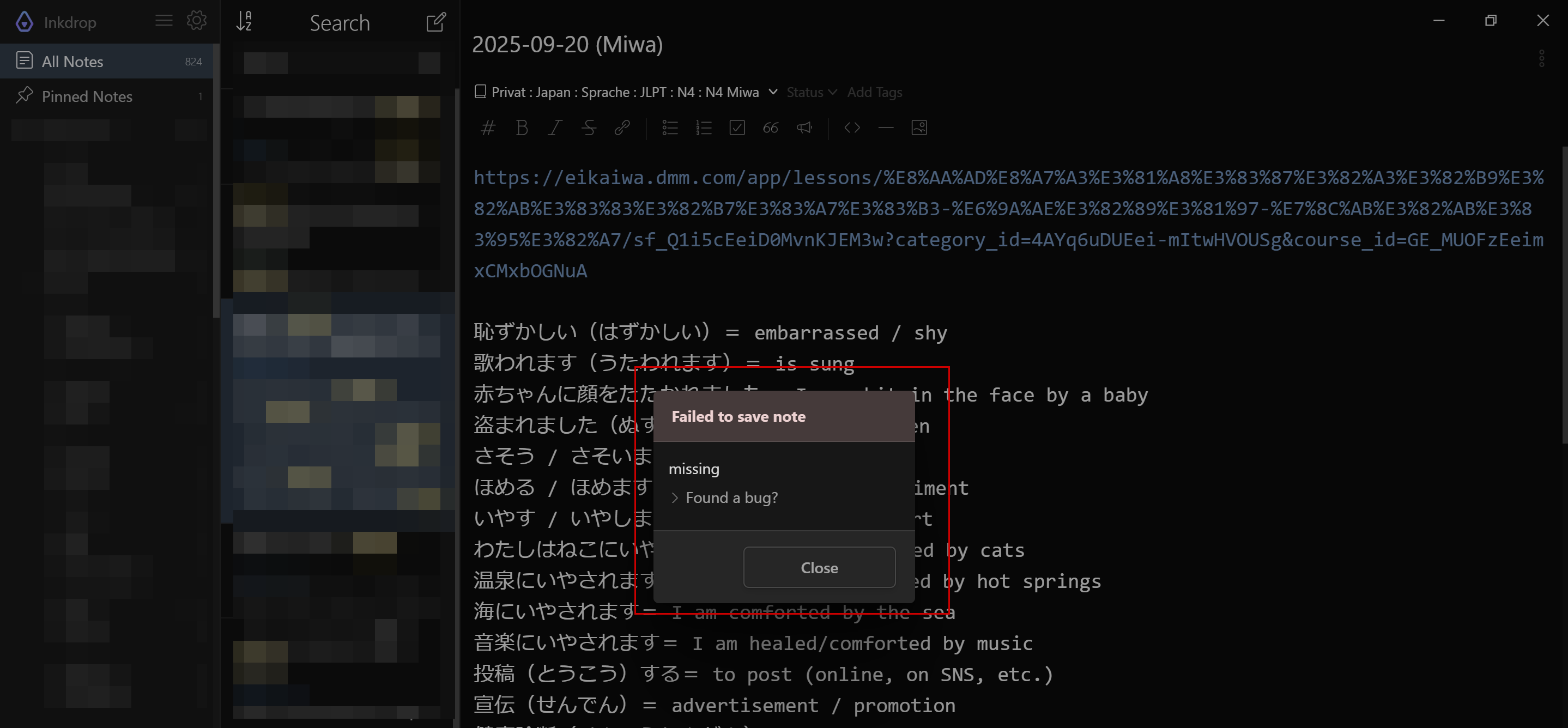
"stack": "not_found: missing\n    at 62198 (C:\\Users\\patri\\AppData\\Local\\inkdrop\\app-5.11.6\\resources\\app.asar\\main-195.js:2:397334)\n    at s (C:\\Users\\patri\\AppData\\Local\\inkdrop\\app-5.11.6\\resources\\app.asar\\main.js:2:1163289)\n    at 34214 (C:\\Users\\patri\\AppData\\Local\\inkdrop\\app-5.11.6\\resources\\app.asar\\main-214.js:1:221)\n    at Function.s (C:\\Users\\patri\\AppData\\Local\\inkdrop\\app-5.11.6\\resources\\app.asar\\main.js:2:1163289)",
"status": 404,
"name": "not_found",
"message": "missing",
"error": true,
"reason": "missing",
"docId": "note:87H_amGH"
}
From console.log:
isDarkMode? true
2C:\Users\patri\AppData\Roaming\inkdrop\packages\embed\lib\providers\x.js:17 test url: https://eikaiwa.dmm.com/app/lessons/読解とディスカッション-暮らし-猫カフェ/sf_Q1i5cEeiD0MvnKJEM3w?category_id=4AYq6uDUEei-mItwHVOUSg&course_id=GE_MUOFzEeimxCMxbOGNuA
browser-main.js:2 test url: https://eikaiwa.dmm.com/app/lessons/読解とディスカッション-暮らし-猫カフェ/sf_Q1i5cEeiD0MvnKJEM3w?category_id=4AYq6uDUEei-mItwHVOUSg&course_id=GE_MUOFzEeimxCMxbOGNuA
browser-main.js:2 app:error Unexpected error occurred: +0ms Object
a @ browser-main.js:2
browser-main.js:2 app:error Unexpected error occurred: +8s Object
a @ browser-main.js:2
browser-main.js:2 app:error Unexpected error occurred: +2s Object
a @ browser-main.js:2
browser-main.js:2 app:error Unexpected error occurred: +4s Object
a @ browser-main.js:2
browser-main.js:2 app:error Unexpected error occurred: +4s Object
a @ browser-main.js:2
browser-main.js:2 app:error Unexpected error occurred: +10s Object
a @ browser-main.js:2
browser-main.js:2 app:error Unexpected error occurred: +25s Object
a @ browser-main.js:2
browser-main.js:2 app:error Unexpected error occurred: +1m Object
a @ browser-main.js:2
browser-main.js:2 app:error Unexpected error occurred: +2s Object
a @ browser-main.js:2
browser-main.js:2 app:error Unexpected error occurred: +4s Object
a @ browser-main.js:2
browser-main.js:2 app:error Unexpected error occurred: +2s Object
a @ browser-main.js:2
browser-main.js:2 app:error Unexpected error occurred: +35s Object
a @ browser-main.js:2
browser-main.js:2 app:error Unexpected error occurred: +1m Object
a @ browser-main.js:2
browser-main.js:2 app:error Unexpected error occurred: +26s Object
a @ browser-main.js:2
browser-main.js:2 Start network diagnosis..
browser-main.js:2 process.env.http_proxy: undefined
browser-main.js:2 process.env.https_proxy: undefined
browser-main.js:2 process.env.NODE_TLS_REJECT_UNAUTHORIZED: undefined
browser-main.js:2 Sending a request to the Inkdrop API server..
browser-main.js:2 app:error Unexpected error occurred: +11s Object
a @ browser-main.js:2
browser-main.js:2 Got a response with status: 200
browser-main.js:2 Response headers: {date: ‘Thu, 02 Oct 2025 14:42:47 GMT’, content-type: ‘application/json; charset=utf-8’, transfer-encoding: ‘chunked’, connection: ‘keep-alive’, content-security-policy: “default-src ‘self’;base-uri ‘self’;font-src ‘self’… https: ‘unsafe-inline’;upgrade-insecure-requests”, …}
browser-main.js:2 Response body: {ok: true}
browser-main.js:2 Looks good.
browser-main.js:2 Sending a request to the Inkdrop database server: https://store.inkdrop.app/user-5d70ae731f91003b015481e211fa91a7
browser-main.js:2 Got a response with status: 200
browser-main.js:2 Response headers: {cache-control: ‘must-revalidate’, connection: ‘close’, content-length: ‘27’, content-type: ‘application/json’, date: ‘Thu, 02 Oct 2025 14:42:48 GMT’, …}
browser-main.js:2 Response body: {“status”:“ok”,“seeds”:{}}
browser-main.js:2 Looks good.
browser-main.js:2 Network diagnosis done.