Editing note doesnt get updated when new changes are synced

Bug report

I noticed that when opening Inkdrop and changes are synchronized from the remote database, the currently visible note / notebook doesn’t get updated without manually switching notes/notebooks.

Environment

  • Platform: Windows & Ubuntu
  • Platform version: 11 & 24.04
  • App Version: 6.0.0-canary.10

How to reproduce

  1. Make changes to a note on device 1 (in my case Windows) that is the last note that was opened on device 2 (in my case Linux) before Inkdrop was closed on device 2.
  2. Wait for the changes to be synchronized to the remote database.
  3. Open Inkdrop on the device 2.
  4. Wait until the local database synchronizes with the remote database.
  5. Observe that the currently opened note does not contain the changes from device #1 until you manually switch to another note and back

Windows: windows
Linux: linux

Thanks for reporting, @Lukas . Let me check it next week!

Hmm, I couldn’t reproduce it on my mac. What I observed:

  1. (Device 1 / mac in my case) Open note A
  2. (Device 1) Close Inkdrop
  3. (Device 2 / iPhone) Edit note A and wait until sync is done
  4. (Device 1) Open Inkdrop, which immediately opens note A
  5. (Device 1) Sync finishes and note A gets updated in the editor

Does the app reload the note when you edit the note again on Windows? I wonder if the db events are properly subscribed.

When I open note A on device 1 and then change it on device 2, the note is updated on device 1.

vice versa? (Device 1 → 2)

If not updating, can you check inkdrop.store.getState().editor.changed?

I was only able to reproduce this behaviour when device 1 (what is mac in your case) is linux. The app that device 2 runs does not influence this behaviour. I also tried this with canary.11 and noticed that the update makes this error rarer. With canary.10 this occurred on my linux device every time these steps were followed. After the update this occurs maybe every fifth time.

When the editor does not get updated, inkdrop.store.getState().editor.changed returns false.
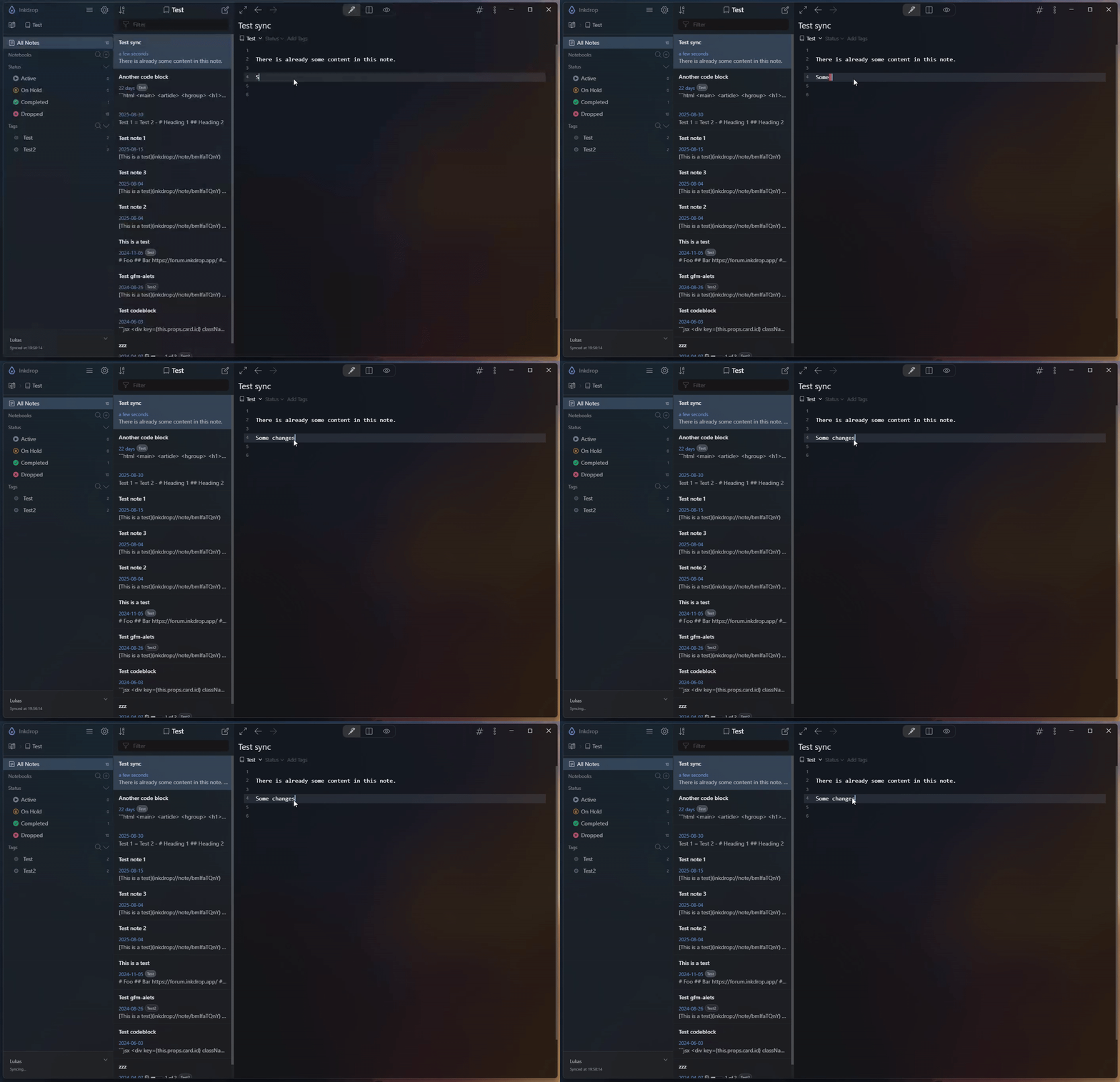
Interesting. When it occurs, is the note correctly saved if you edit it on Device 2 (Linux)? If no, it might be related to this issue:

I’ll try to fix the potential race condition in the next release. I found a time gap between restoring the note state and subscribing db events.

1 Like

When the editor is not updated after sync and i edit the note, a conflict note is created as expected.

got it! Thanks for checking.

I see this behaviour often. I’ve just learnt to always switch to another note and back before editing or else I create conflicts.

1 Like

ok!

Can you try canary.12?

I tested this a few times with canary.12 and haven’t noticed it again. I will report back if I encounter it again.

1 Like